How to Create an Invite Code
This guide explains how to create an invite code that new members can use to sign up and join your Hellotracks Business account from the mobile app. Anyone who signs up using an invite code is automatically assigned the Worker role.
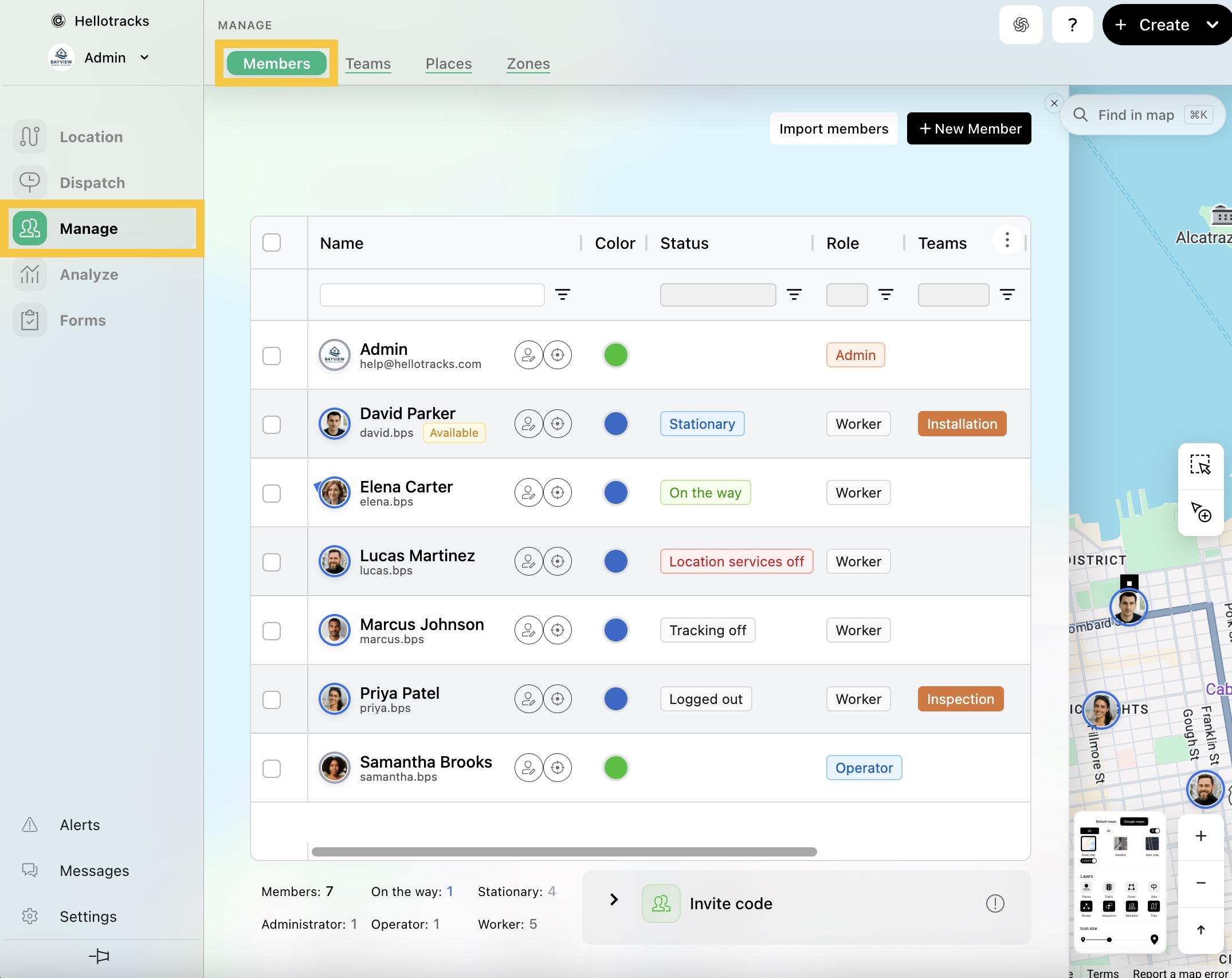
Step 1: Go to Manage from the main menu, then select Members.
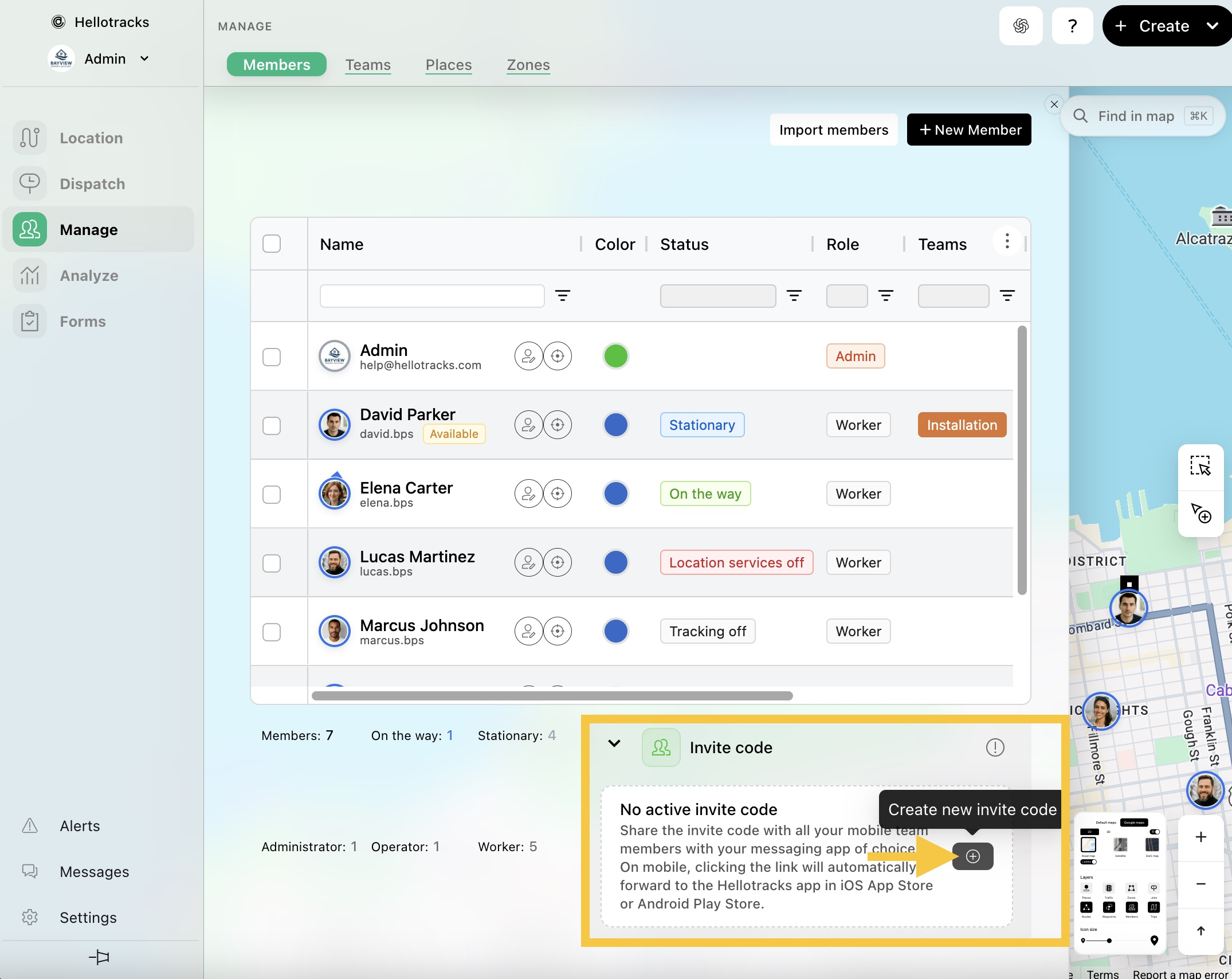
Step 2: Click (+) Create new invite code.
Step 3: Share the invite code, or copy and share the link with your team.

Note: Invite codes automatically expire 30 days after they are created.
For invite code sign-up instructions in the mobile app that you can share with new members, click here.