How to Delete an Invite Code
This guide explains how to delete an invite code so it can no longer be used by new members to sign up and join your Hellotracks Business account from the mobile app.
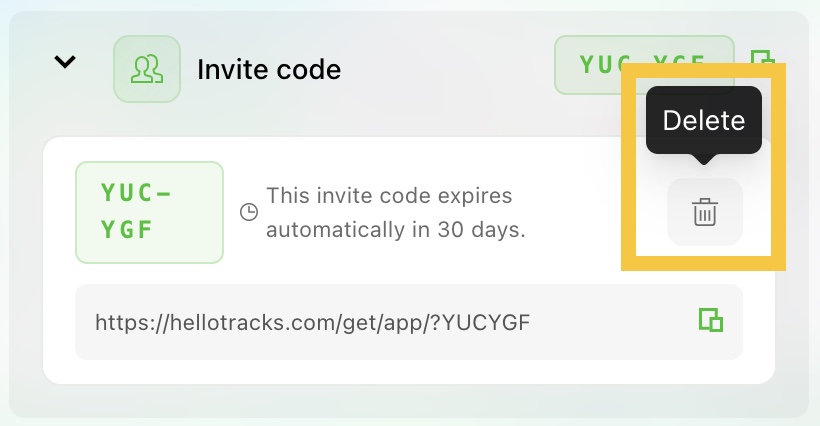
Note: Invite codes automatically expire 30 days after they are created.
Step 1: Go to Manage from the main menu, then select Members.
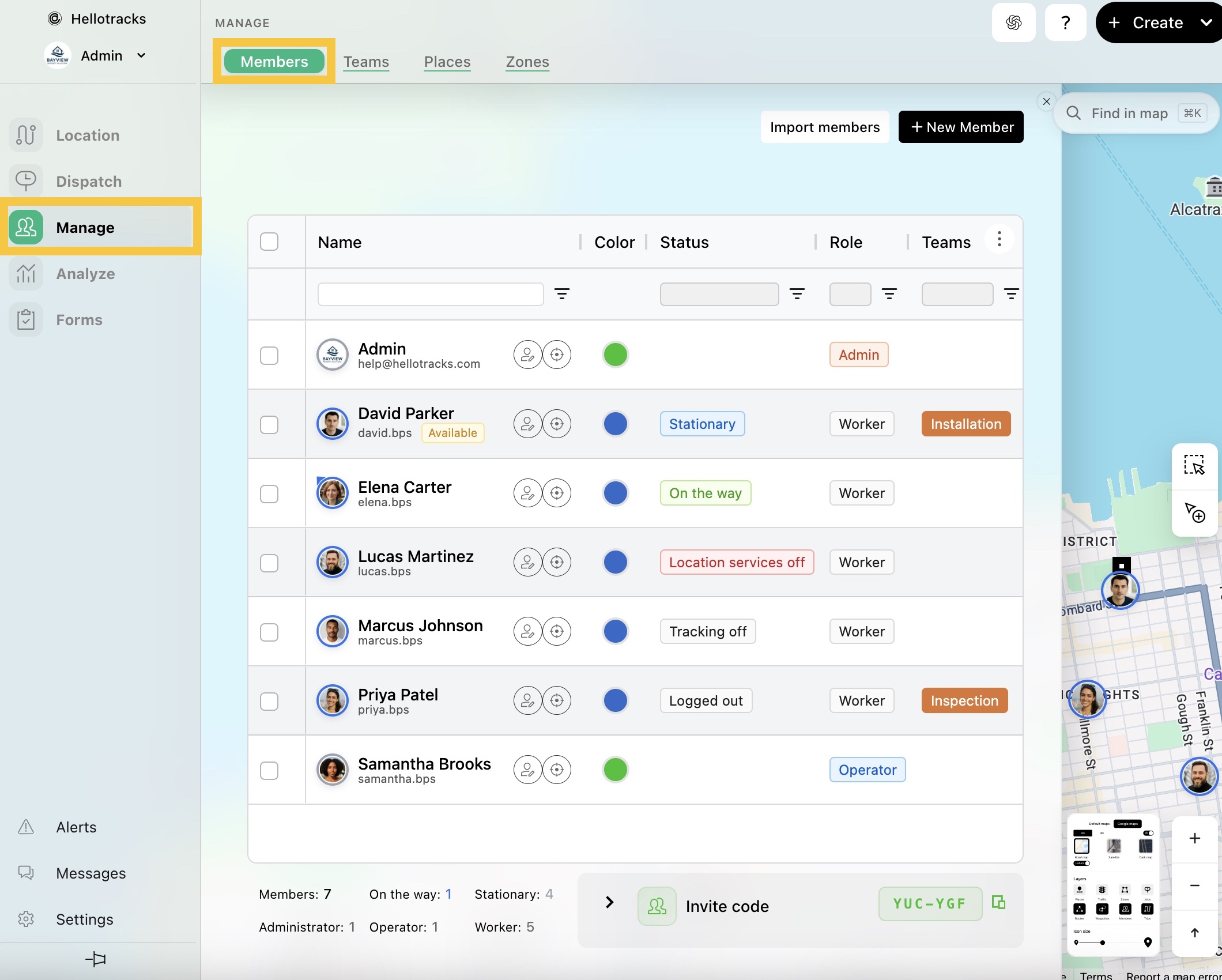
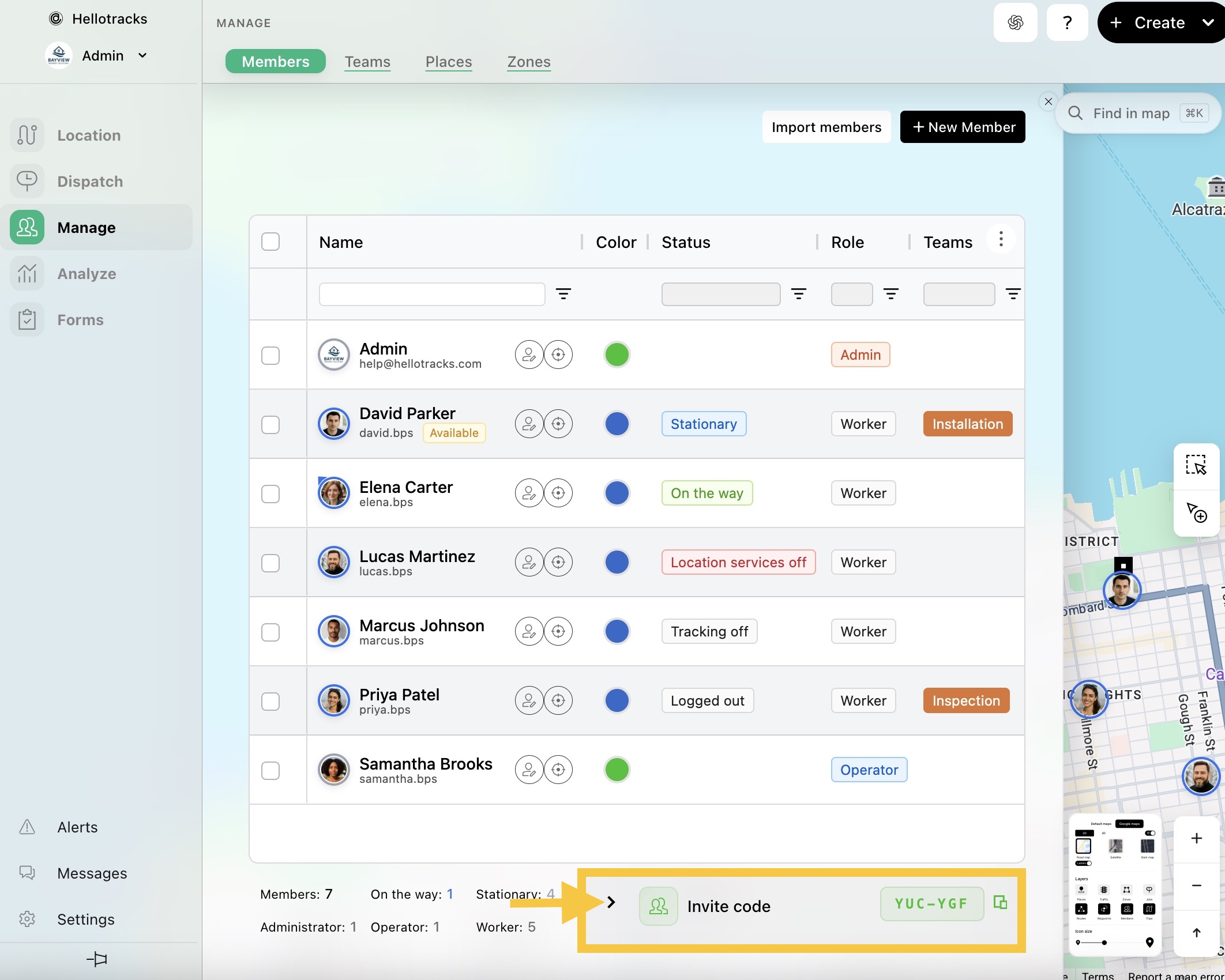
Step 2: Click the forward arrow (>) next to Invite code to expand the panel.
Step 3: Click the trash icon to delete the invite code.