How to Access and Download Recent Reports
This guide explains how to access recent reports generated manually or automatically from scheduled reports and view their details or download them again.
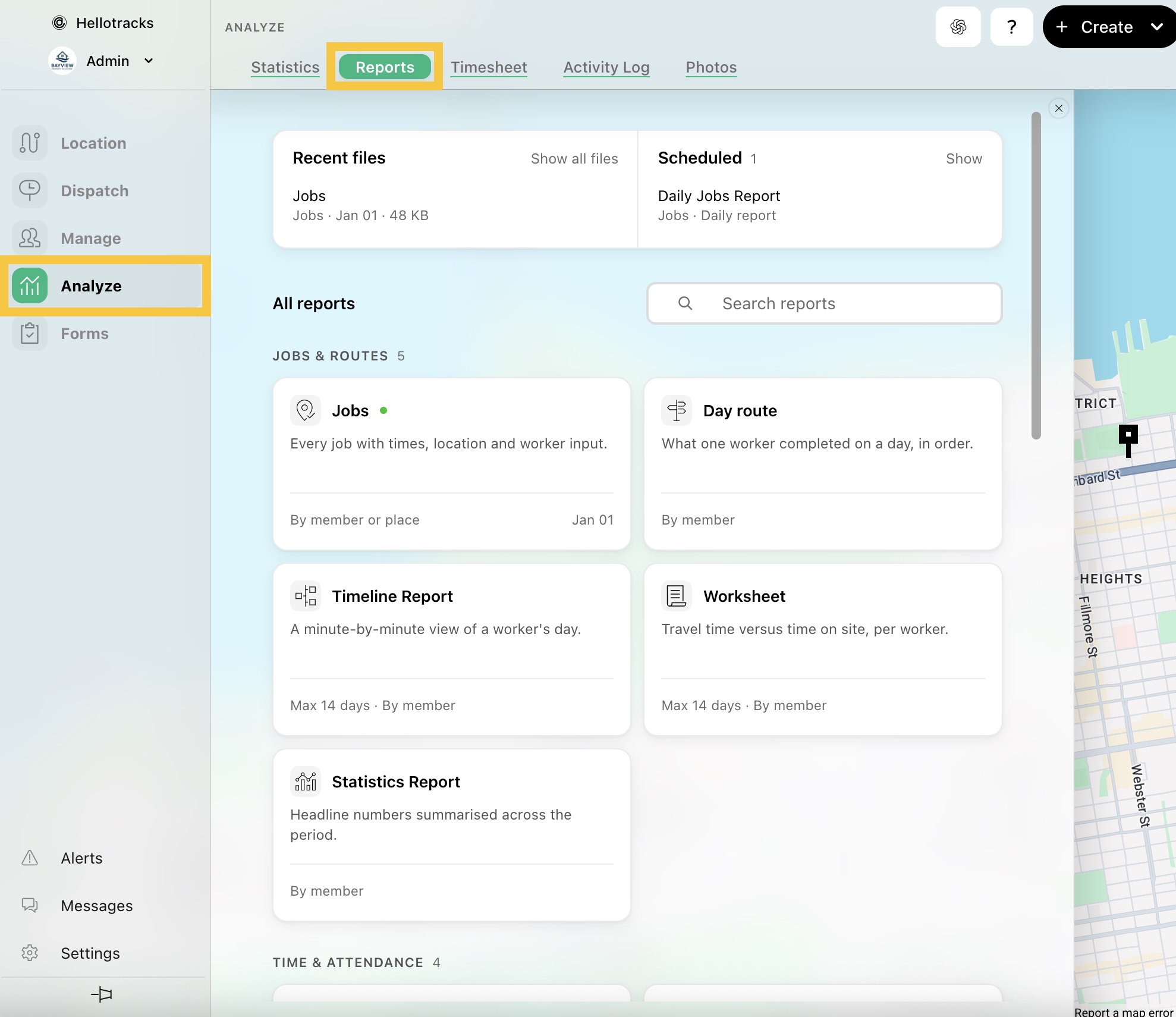
Step 1: Go to Analyze from the main menu and select Reports.
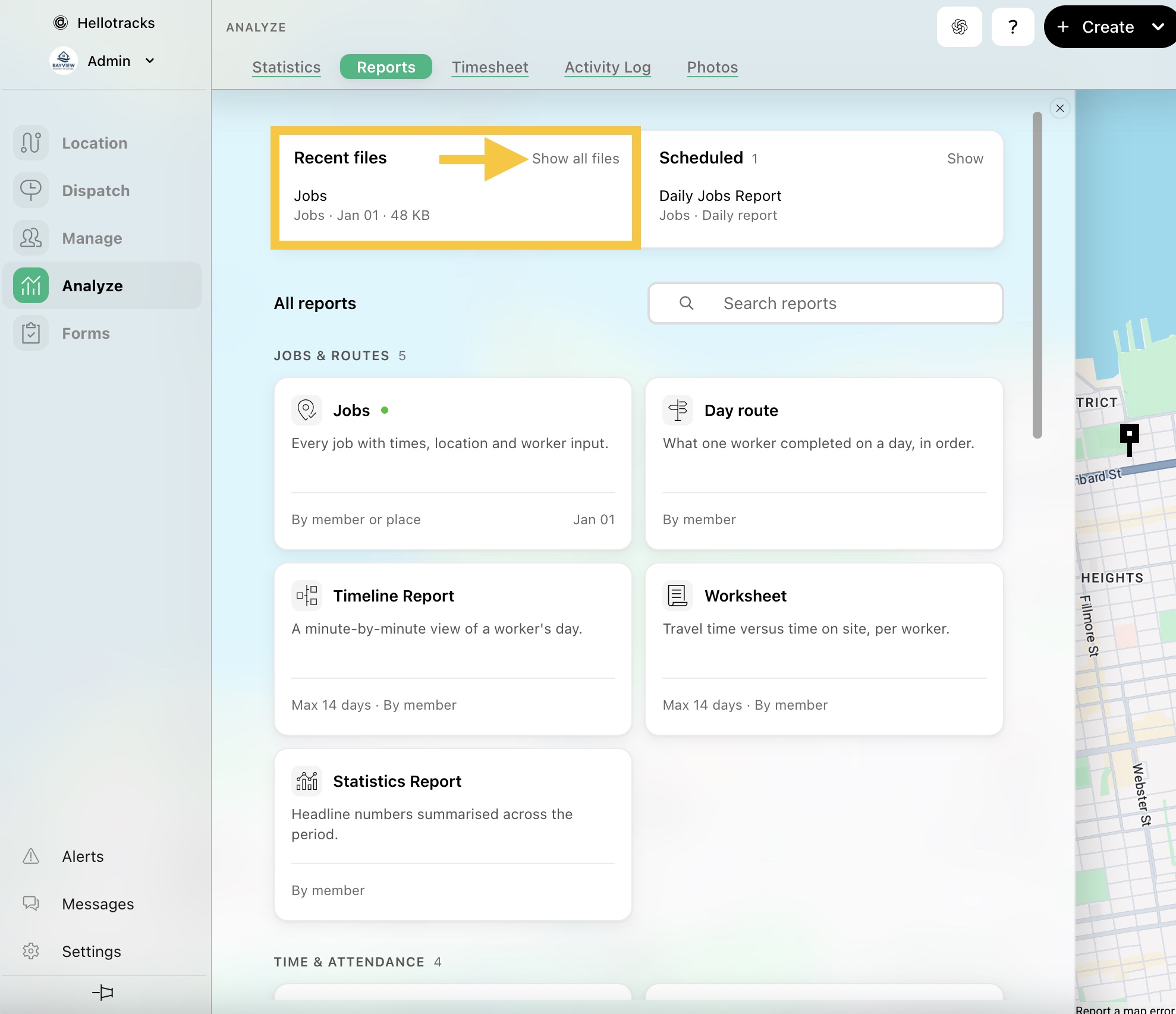
Step 2: In Recent files, click Show all files to view your recent reports.
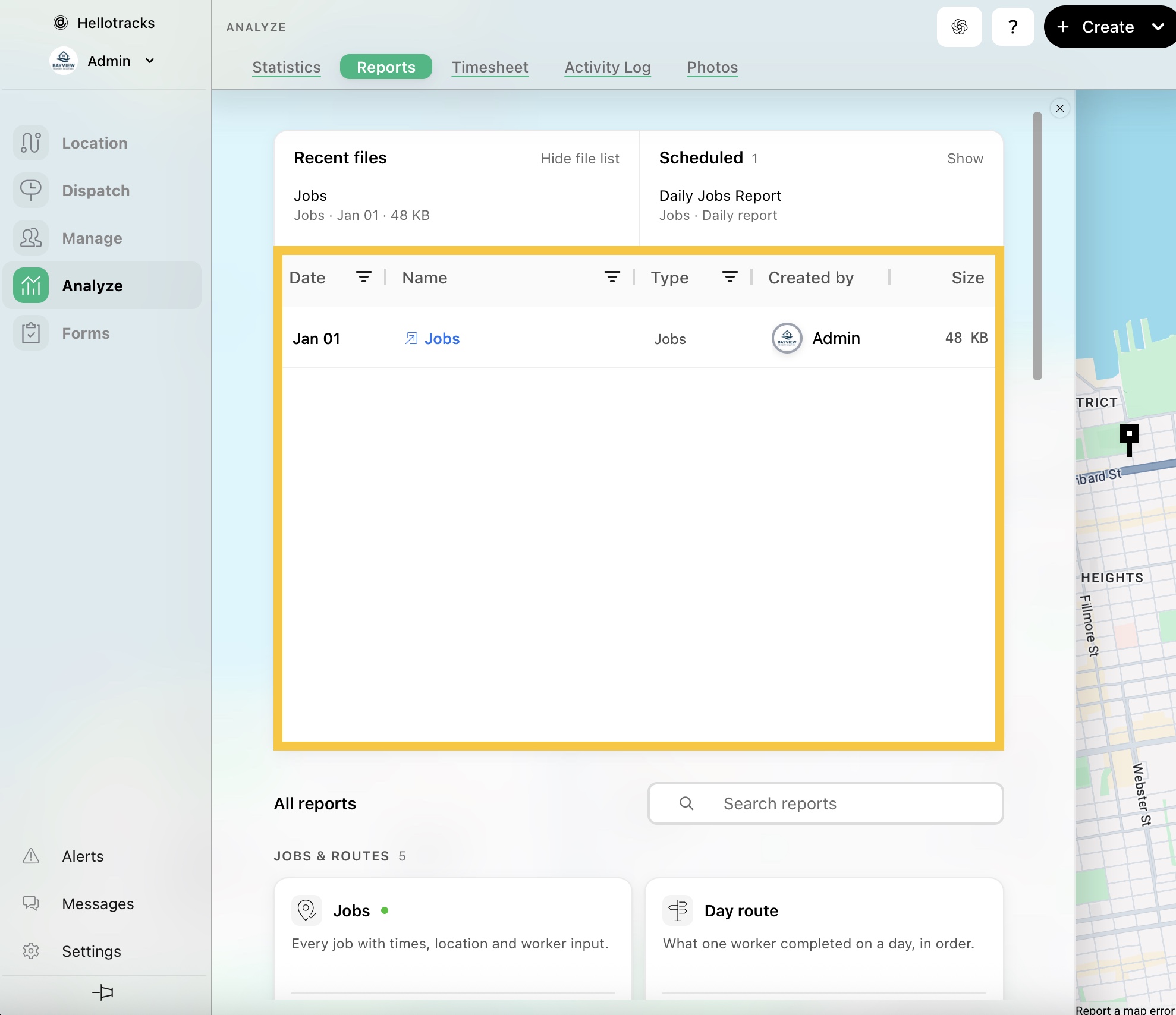
Step 3: Here, you can view more details about each report, including the creation date, report type, creator, and file size. To download a report again, click the report name.