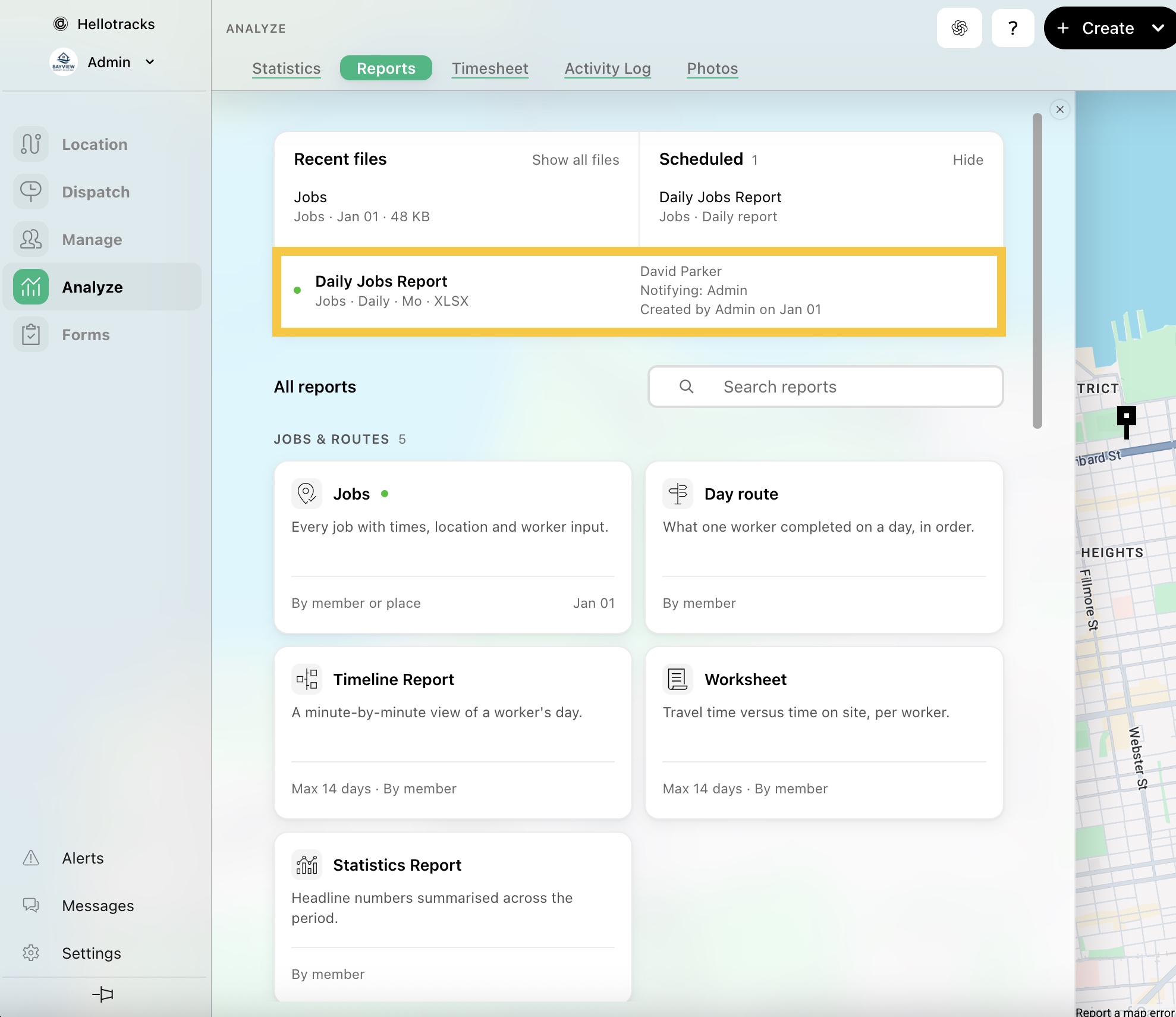
How to Access Recurring Reports
This guide explains how to access your existing scheduled reports and view their schedules.
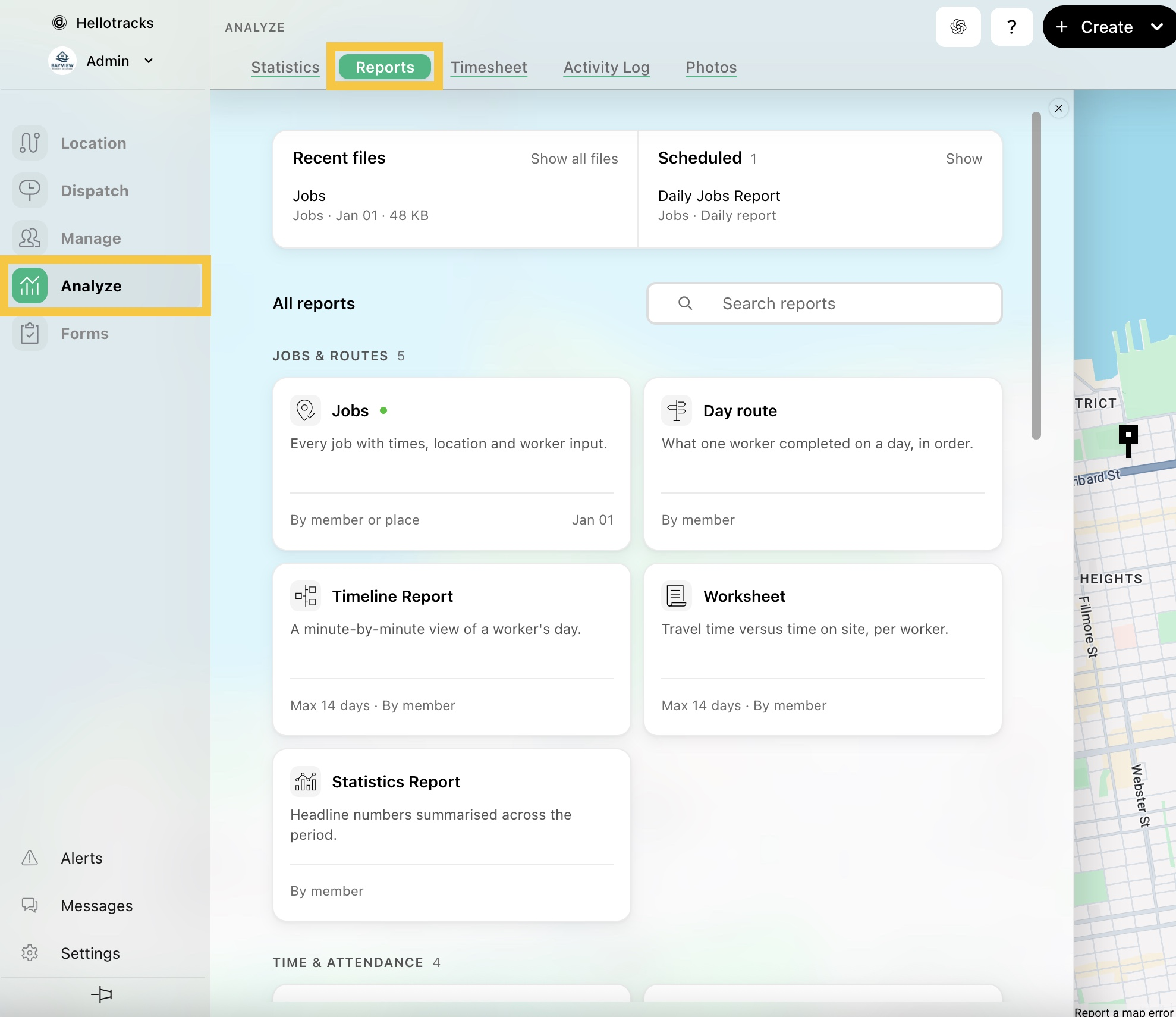
Step 1: Go to Analyze from the main menu and select Reports.
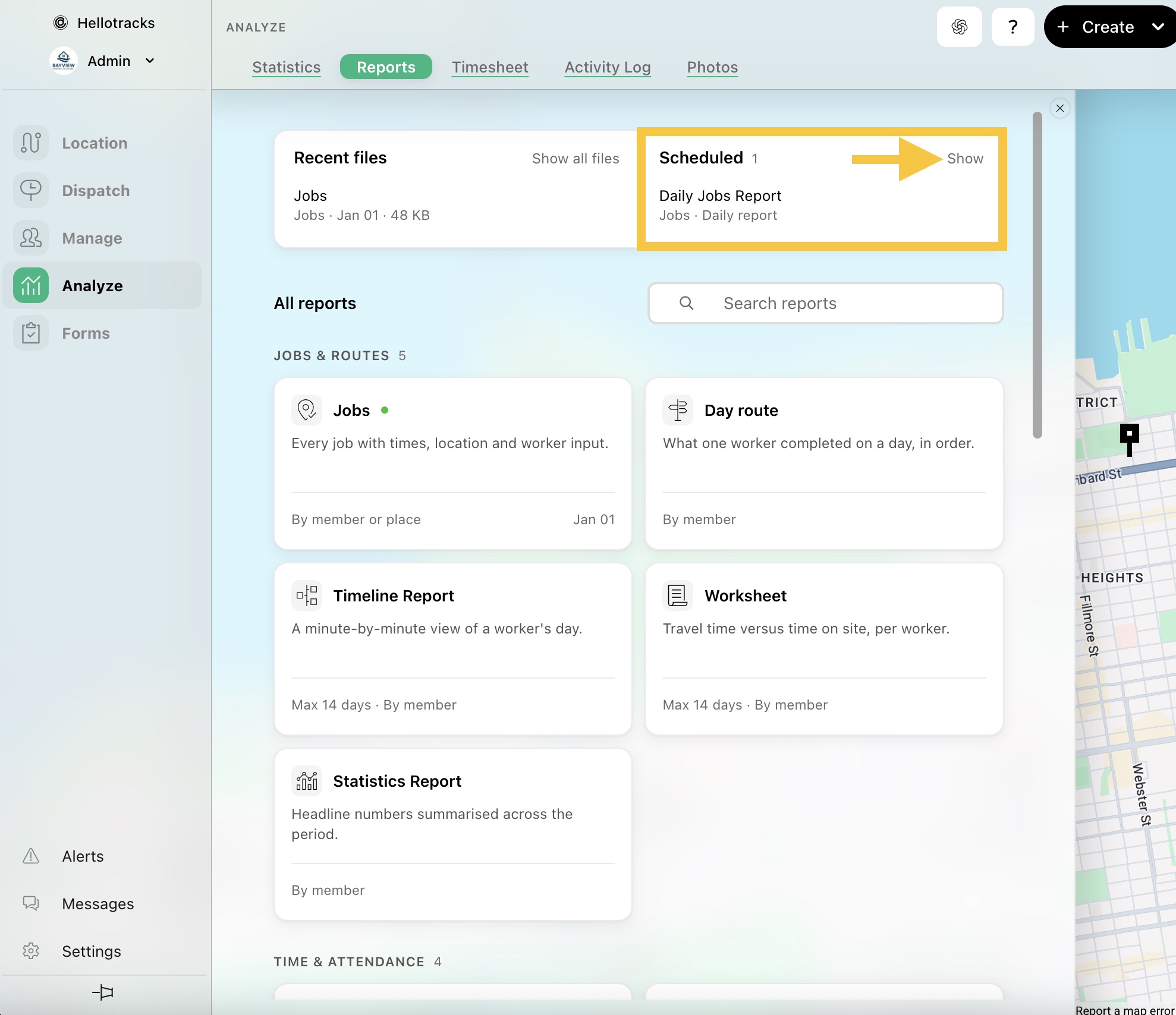
Step 2: In Scheduled, click Show to view your existing recurring reports.
Step 3: Here, you can view details about each scheduled report, including its schedule, format, notifications, and creator.