How to Delete a Recurring Report
This guide explains how to delete an existing recurring report and stop it from being automatically generated.
Note: If you only need to temporarily stop the recurring report, you can pause it instead. To learn how to pause a recurring report, click here.
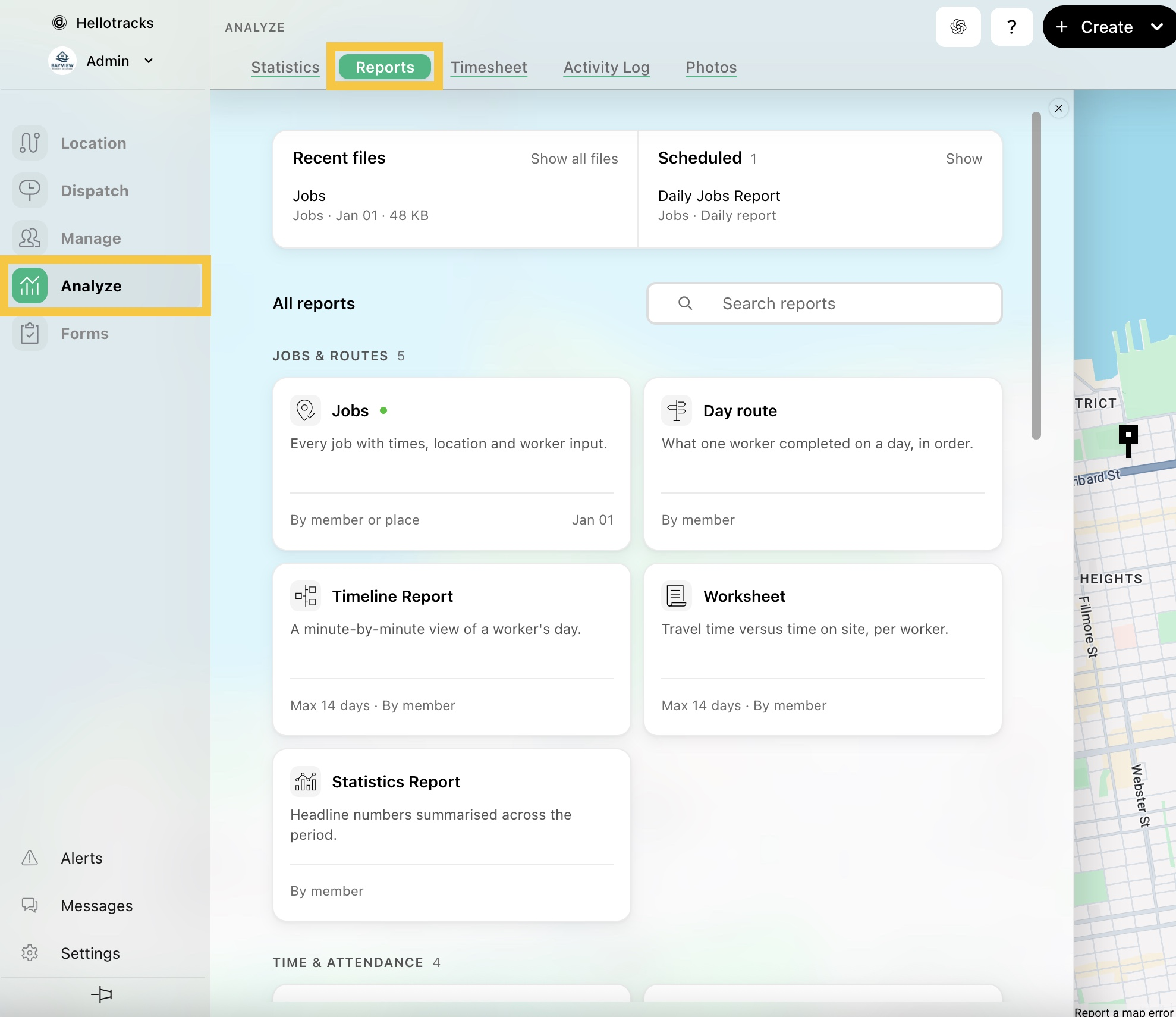
Step 1: Go to Analyze from the main menu and select Reports.
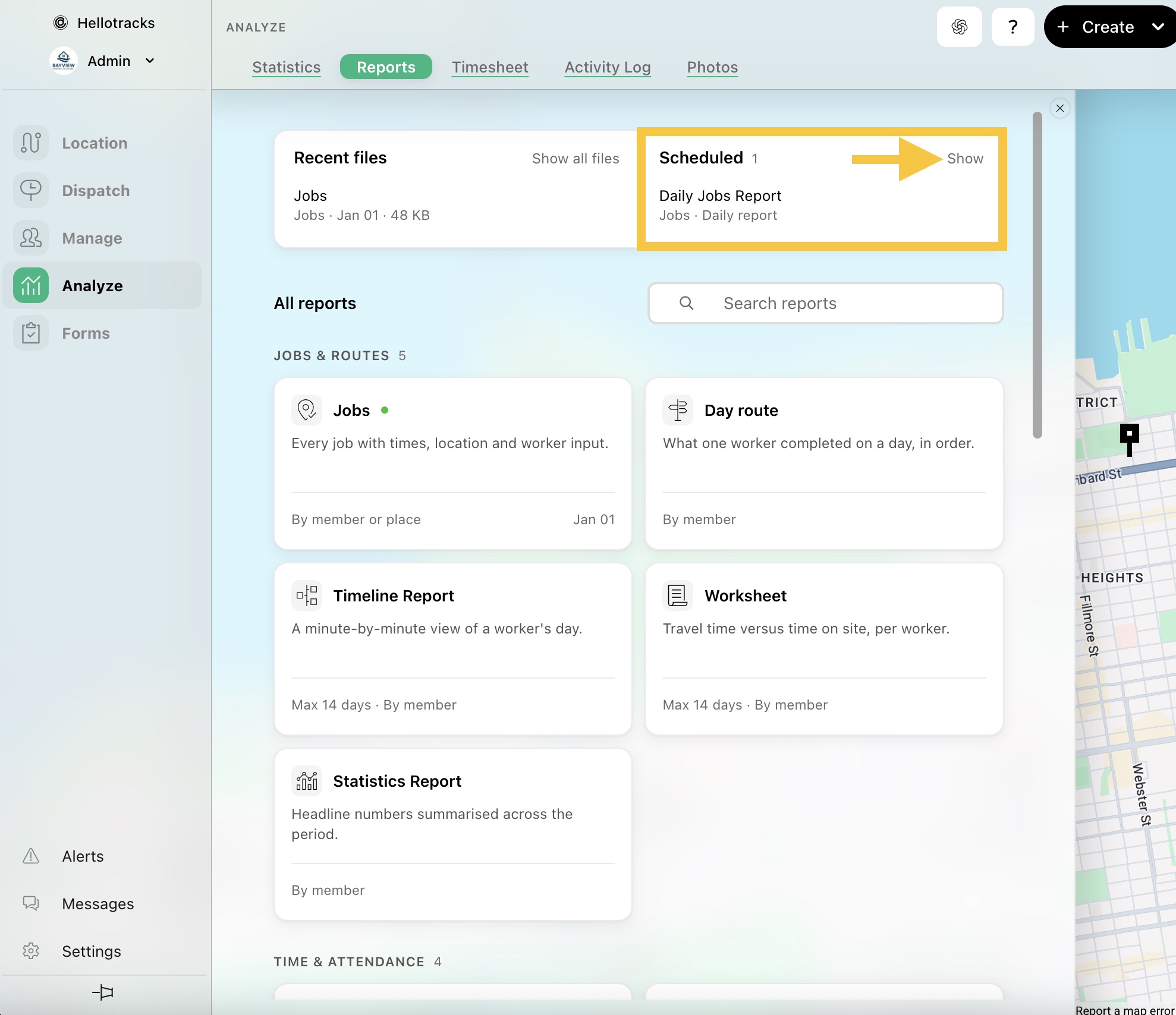
Step 2: In Scheduled, click Show to view your existing recurring reports.
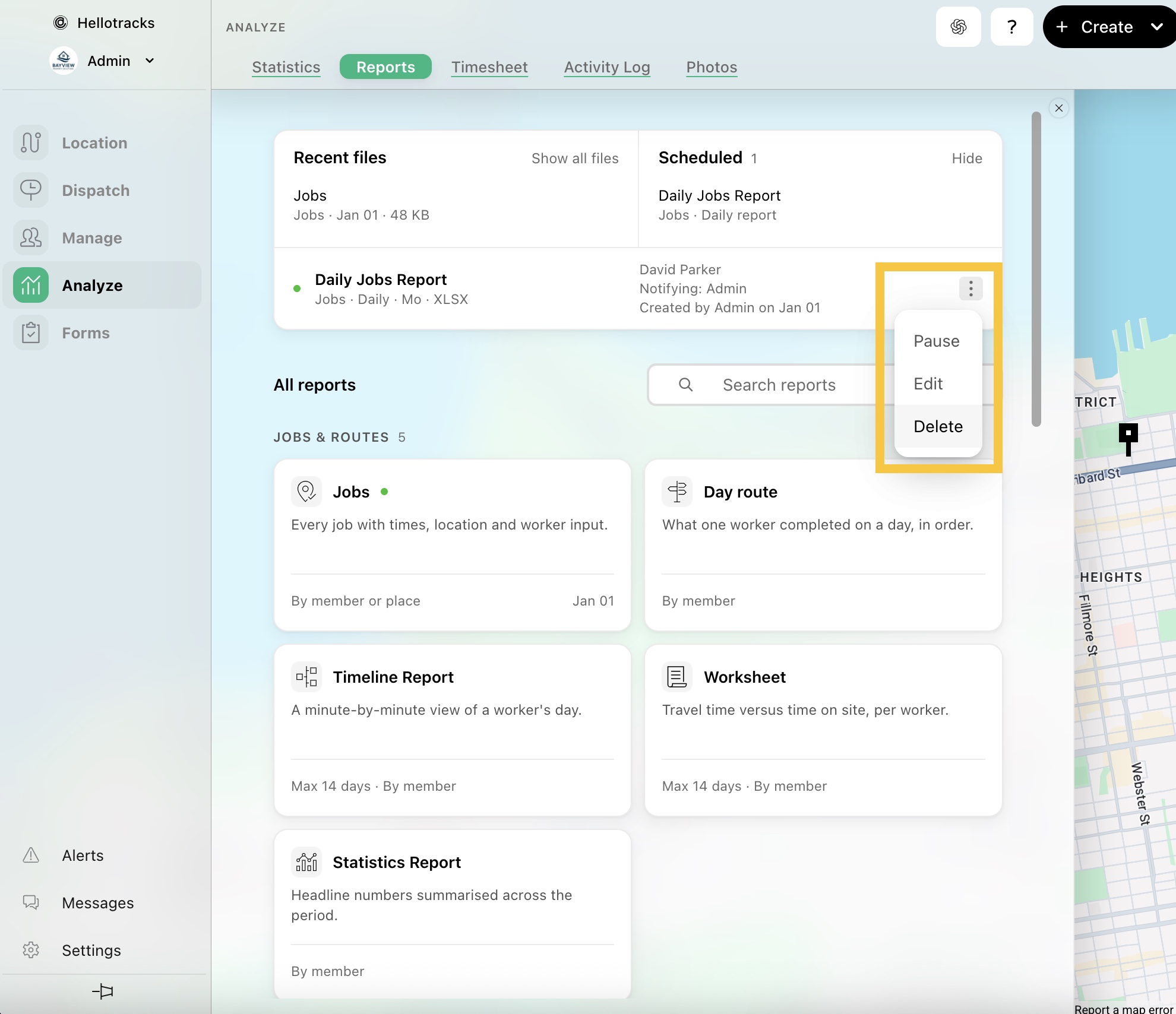
Step 3: Click the three-dot icon, then select Delete to permanently remove the recurring report.