How to Manage Backup Codes for Two-Factor Authentication (2FA)
Backup codes can be used to sign in if Administrators or Operators with two-factor authentication (2FA) enabled do not have access to their authenticator app when signing in to the web dashboard.
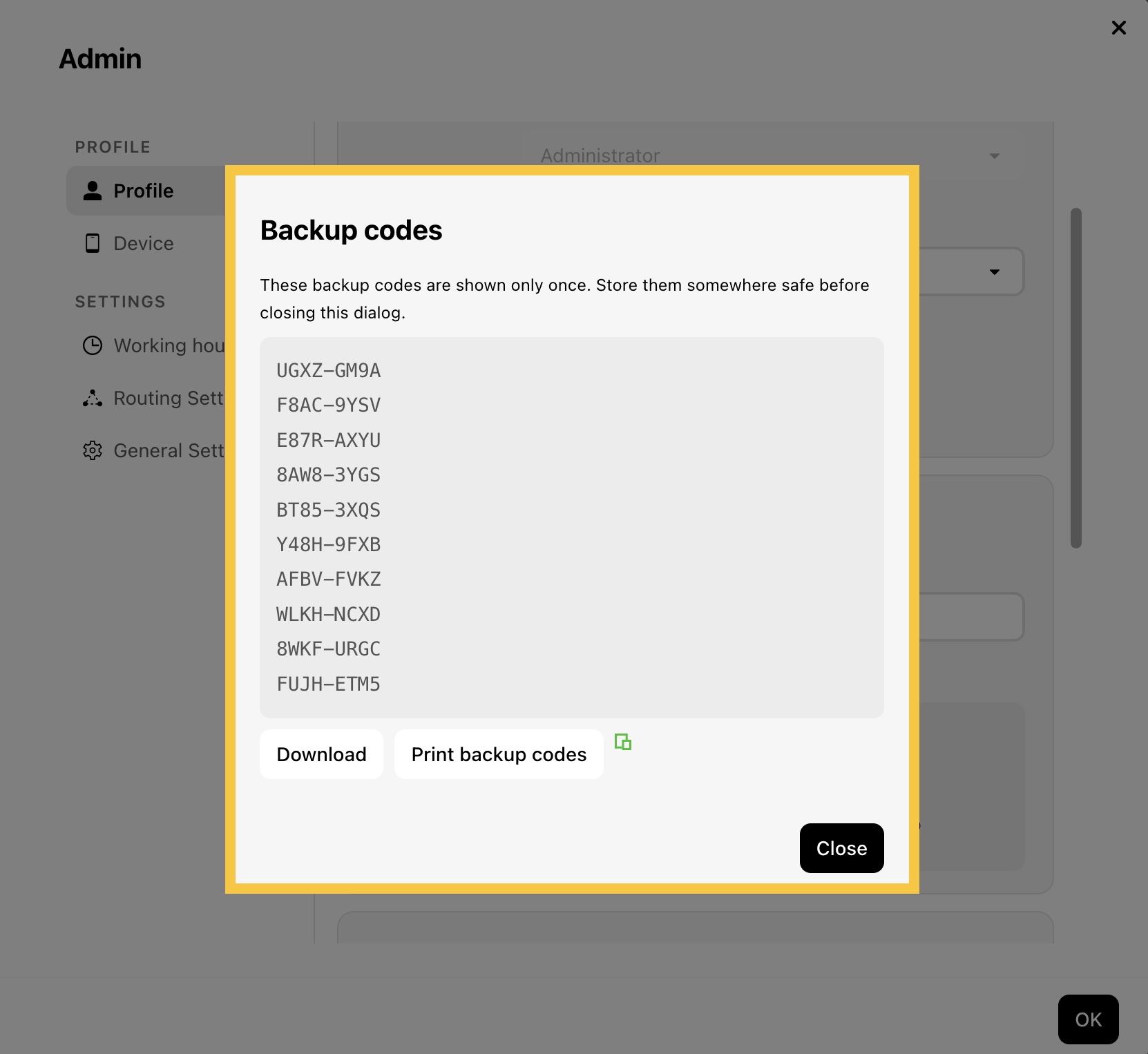
If you lose your backup codes, you can generate a new set. Once regenerated, your previous backup codes will no longer work.
Note: Be sure to download, print, or copy your new backup codes and store them in a secure place before closing the window.
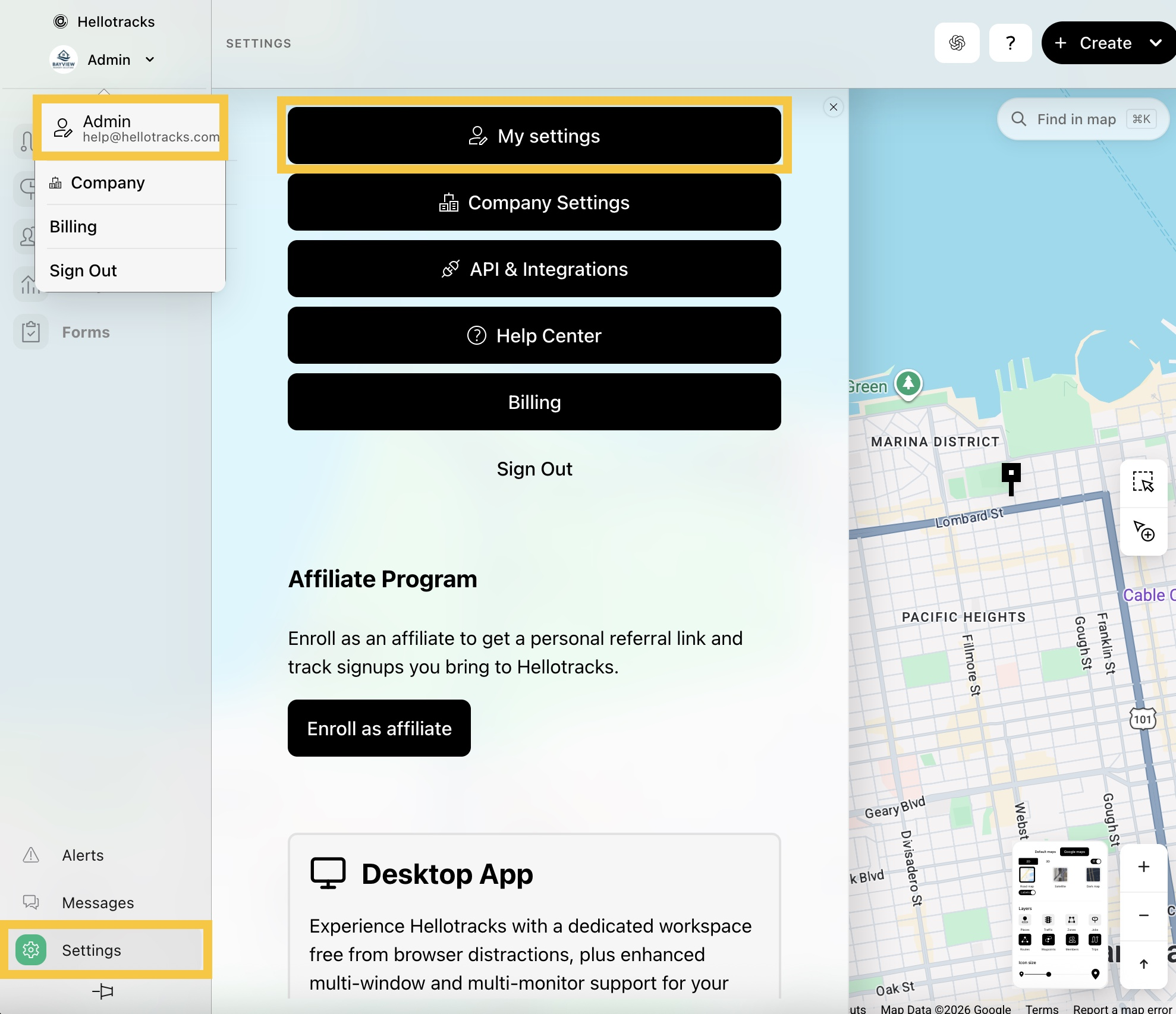
Step 1: Click the dropdown menu next your profile, then select your profile. Or, go to Settings at the bottom of the main menu and select My settings.
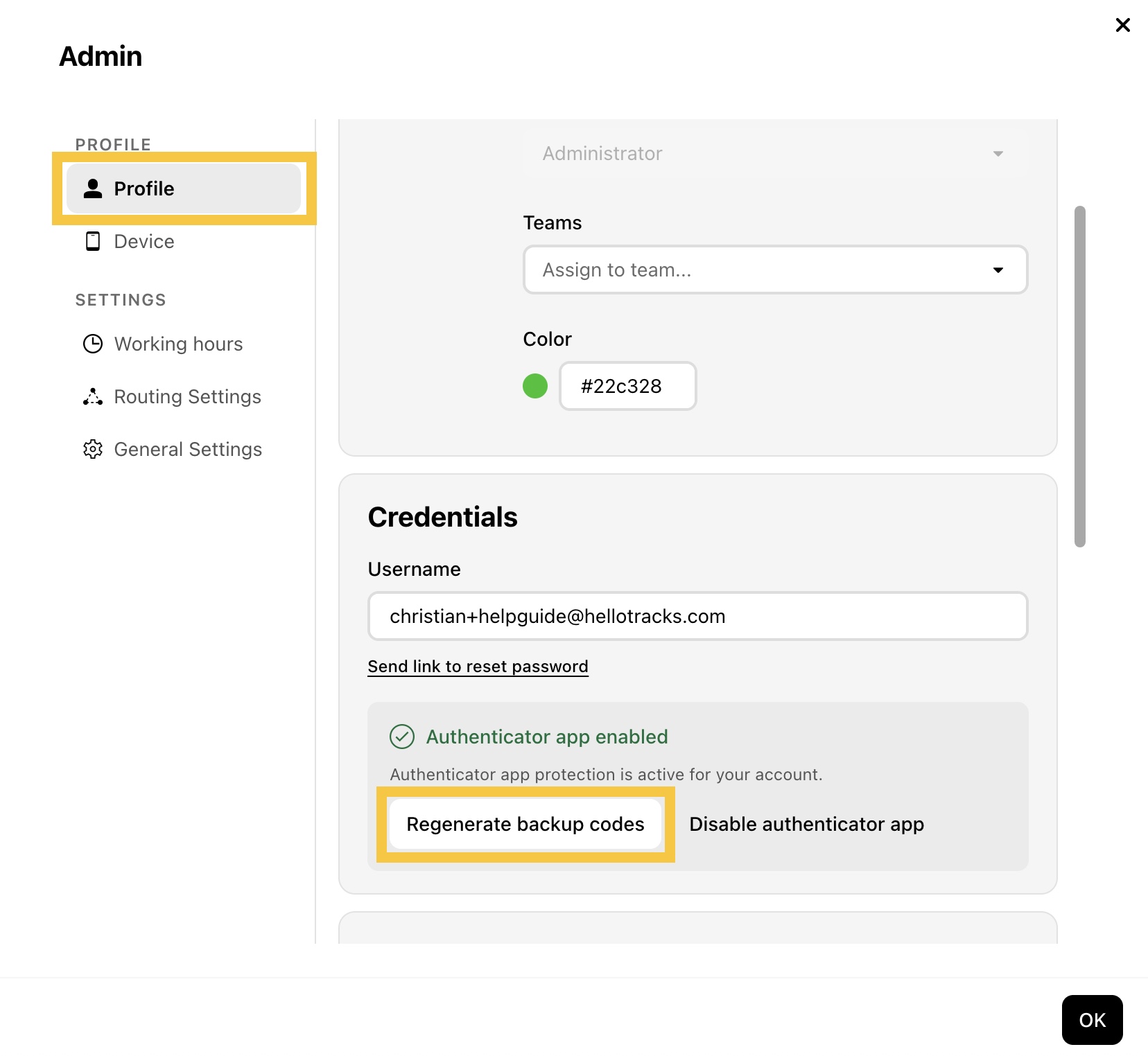
Step 2: In Profile, click Regenerate backup codes.
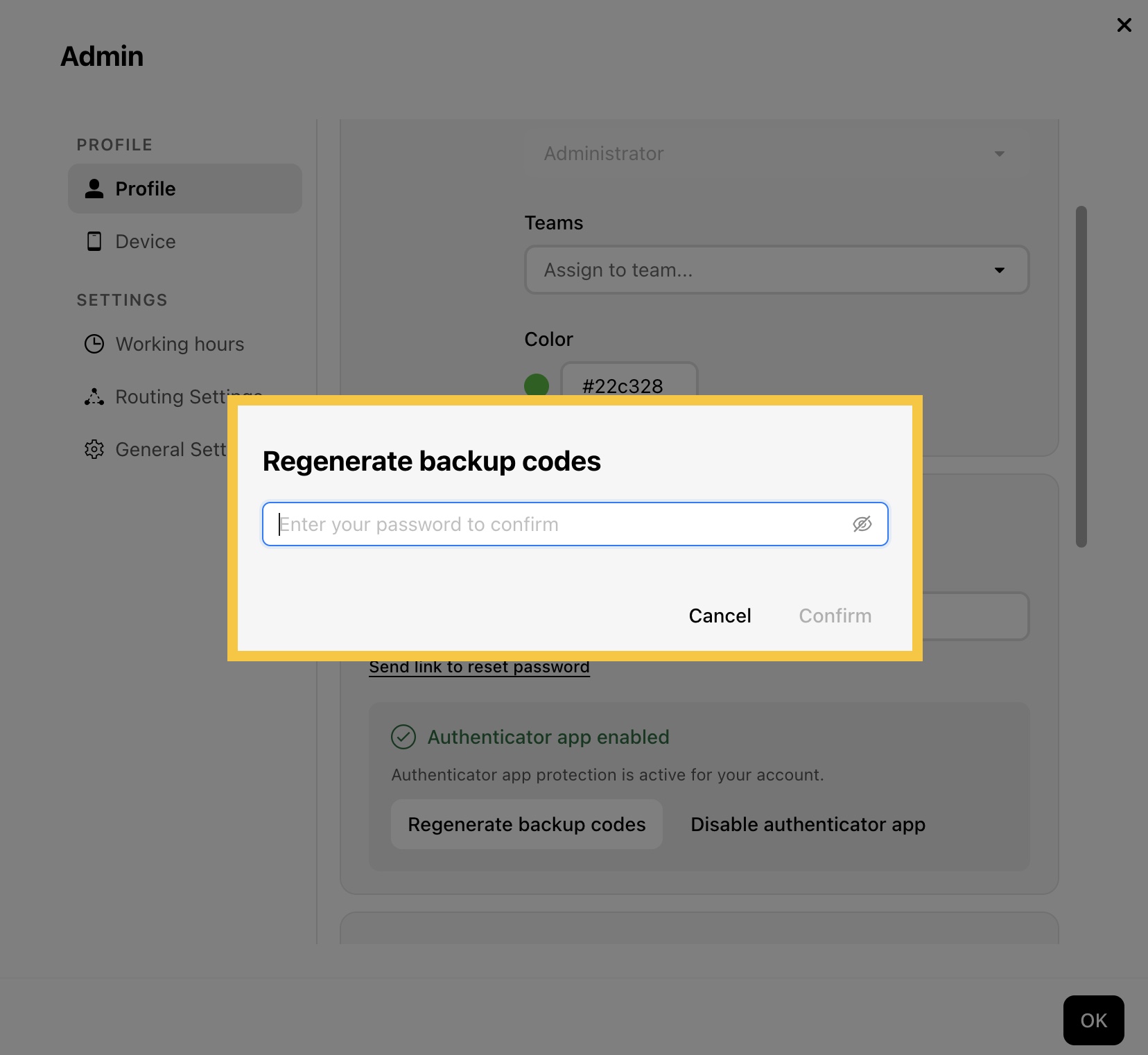
Step 3: Enter your password, then click Confirm.
Step 4: Save your backup codes by downloading, printing, or copying them, then click Close.