How to Edit an Alert
This guide explains how to edit an existing alert to update its settings or conditions.
Step 1: Go to Alerts at the bottom of the main menu.

Step 2: Click the gear icon on the alert you want to edit.
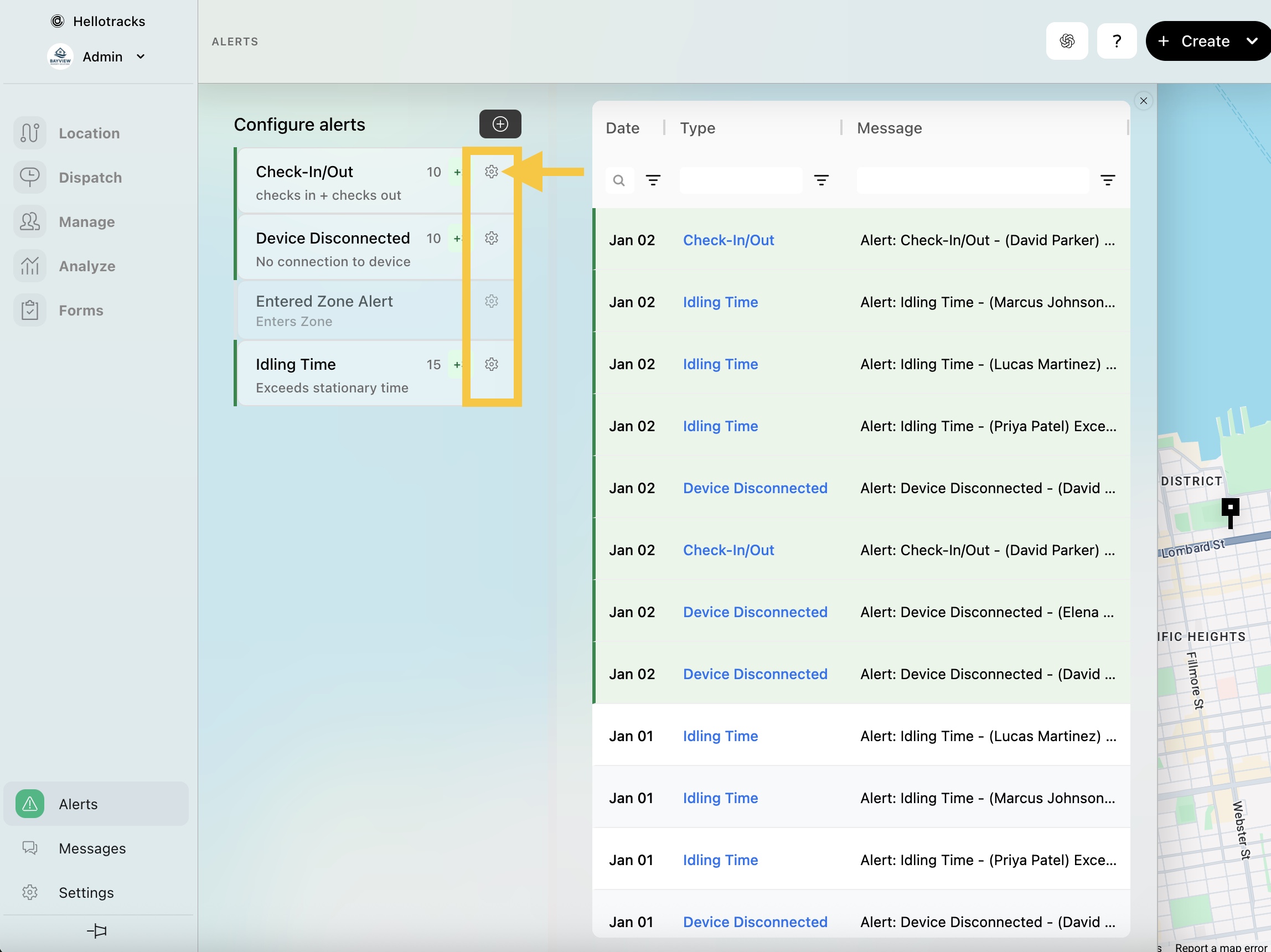
Step 3: Update the following alert settings, as needed:
- Title
- whether the alert applies to specific Members or a Team
- Action and related conditions

- email address(es) for alert notifications
- Slack channel ID, if you also want to send notifications to Slack
- weekdays and active time

Step 4: Click Save to apply your changes.