How to Remove a Form from a Place
This guide explains how to remove a Form from a Place. Removing the Form unlinks it from the Place, and your team members will no longer see it in the mobile app.
Step 1: Go to Manage from the main menu, then select Places.

Step 2: Click the Place name where you want to remove the Form.

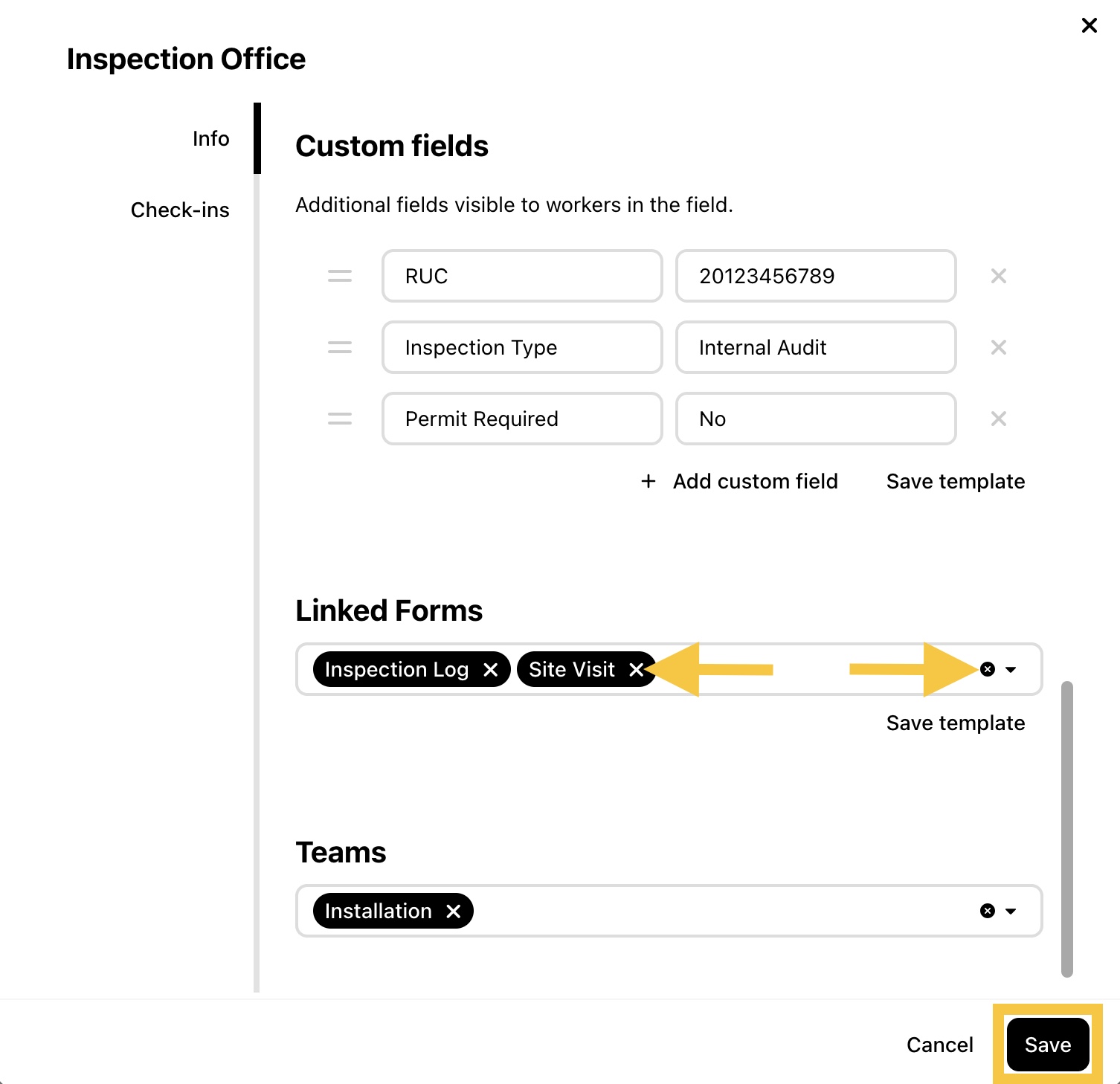
Step 3: In Linked Forms, click the X next to a Form to remove it, or click the small x to remove all Forms, then click Save.
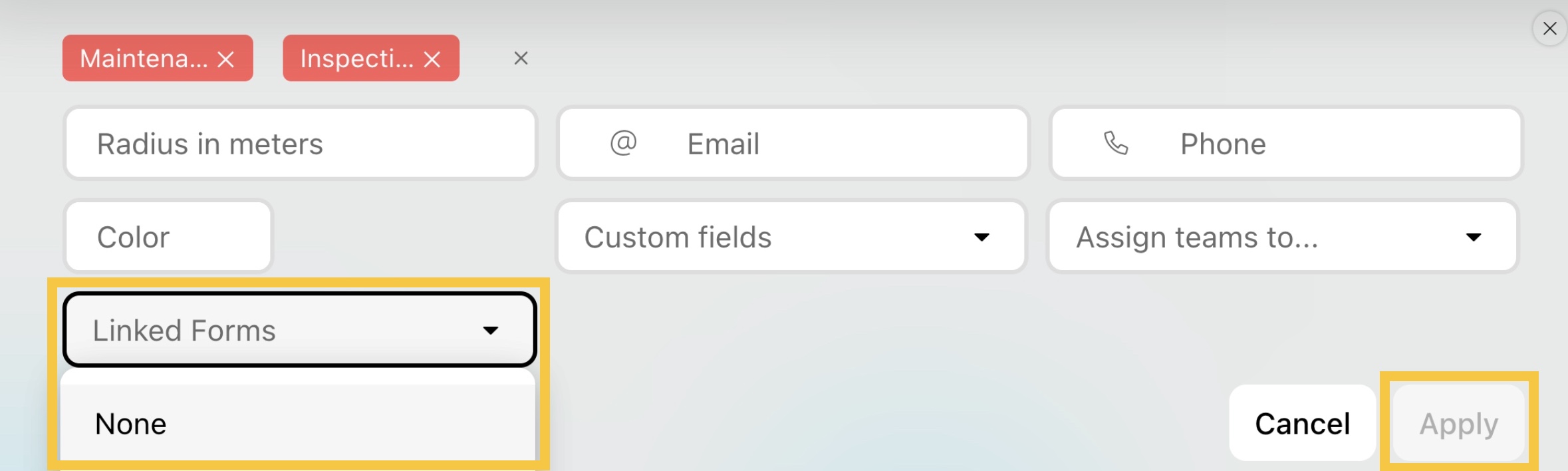
Step 4: To bulk remove Forms from multiple Places, select one or more Places and click Edit places.

Step 5: Open the Linked Forms dropdown and select None. Then, click Apply.