How to Import Zones
This guide explains how to import Zones using a KML file containing polygons to create multiple Zone boundaries at once.
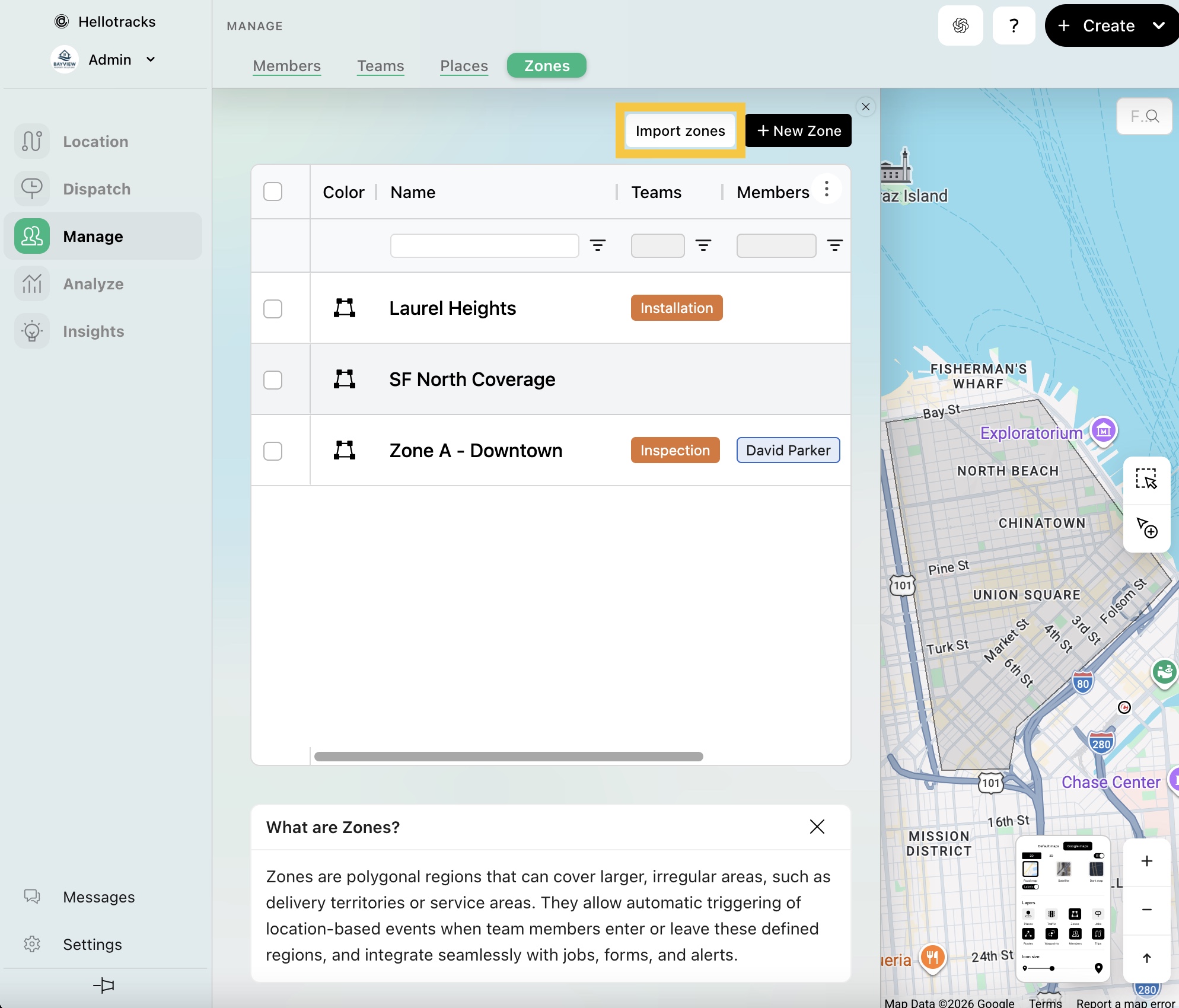
Step 1: Go to Manage from the main menu, then select Zones.

Step 2: Click Import zones.
Step 3: Import Zones by uploading a KML file containing polygons. Each polygon is imported as a new Zone.
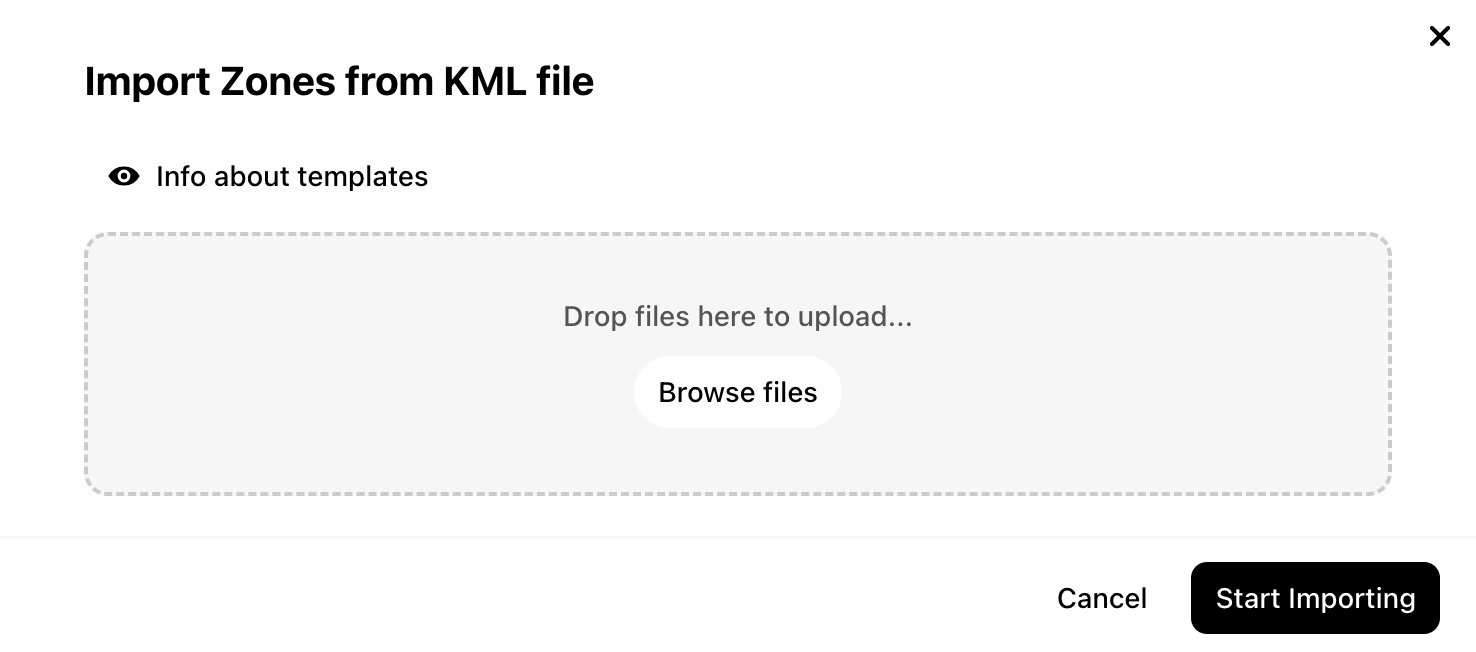
Step 4: Click Start Importing.