How to Create a Zone
This guide explains how to create a zone to define larger or irregular areas for check-ins and alerts.
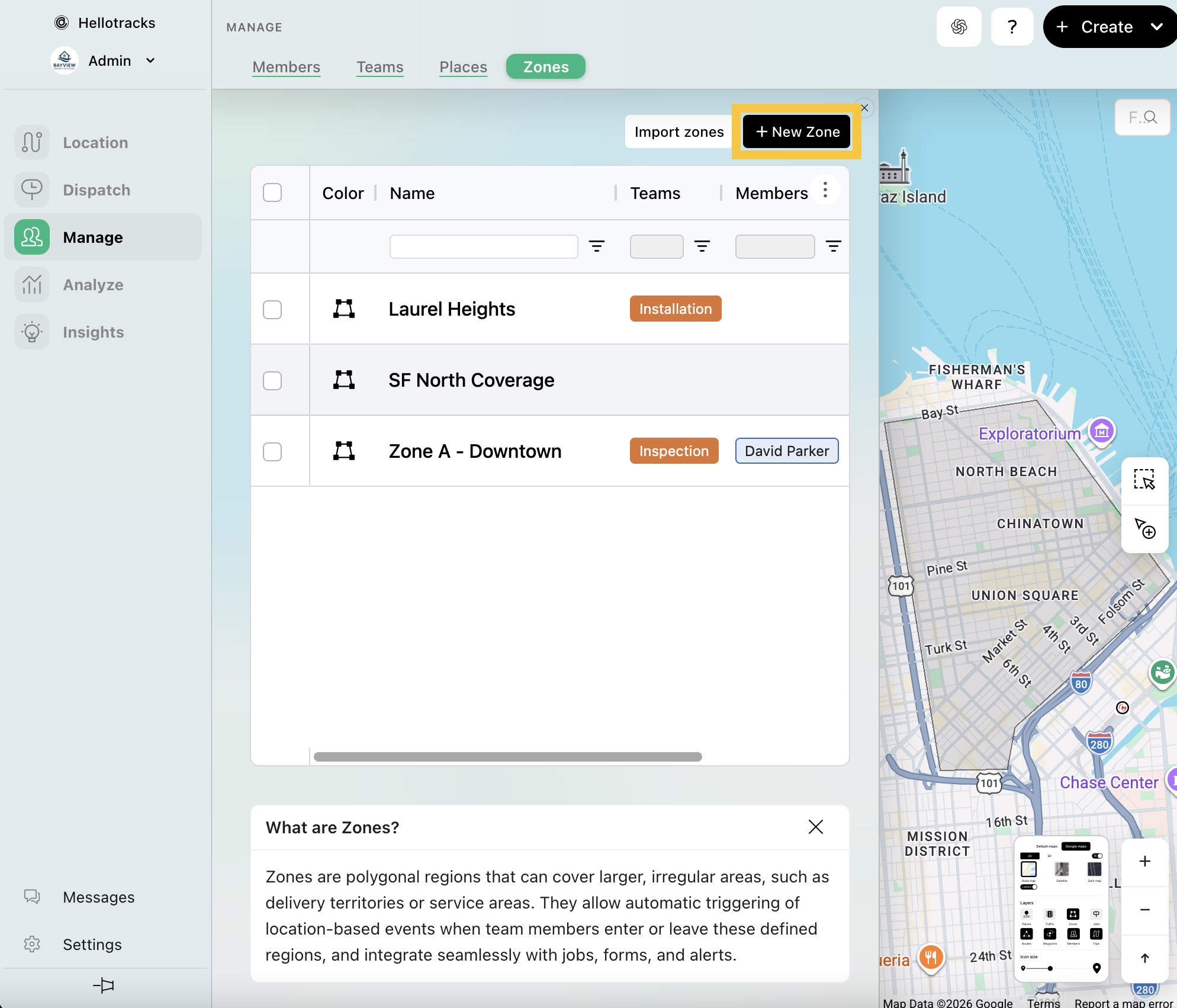
Step 1: Go to Manage from the main menu, then select Zones.

Step 2: Click + New Zone.
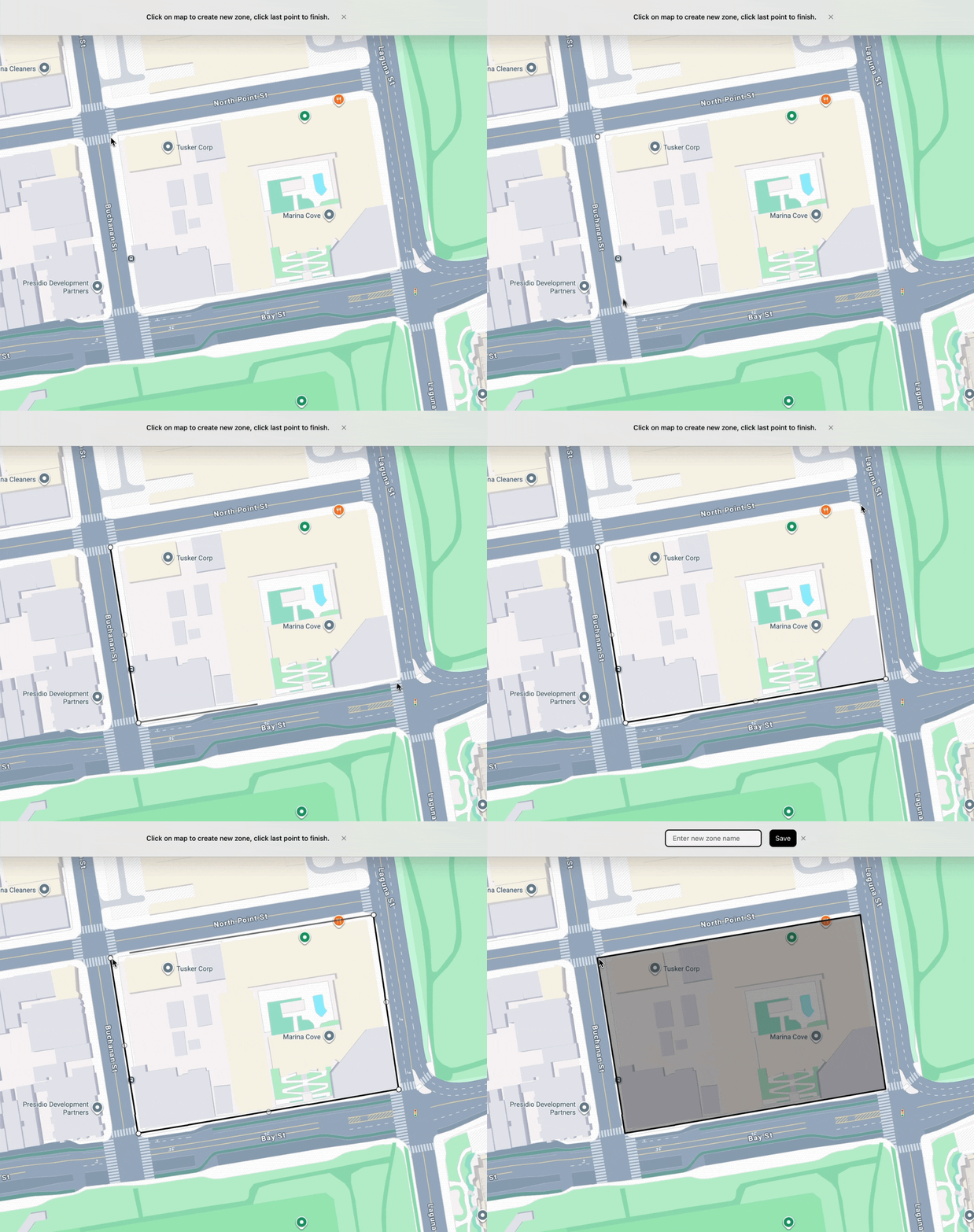
Step 3: Begin by clicking on the map to mark the first point. Then, continue outlining the area to form a polygon shape. Right-click the mouse button or click the last point to finish.
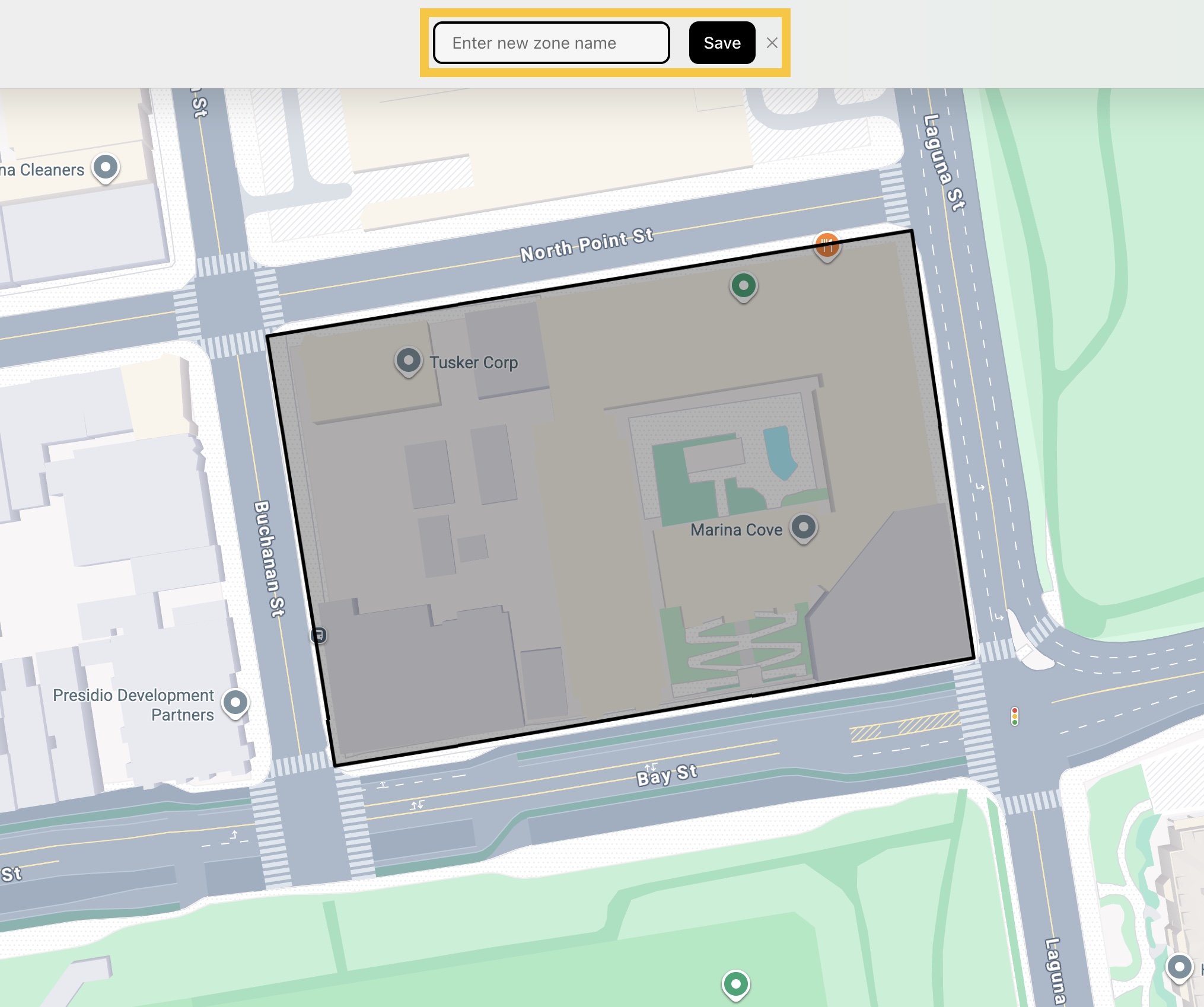
Step 4: Create a name for the Zone, then click Save.