How to Turn On/Off Notifications
Managing notifications allows you to control how and when your team receives alerts. You can pause all notifications for the company or manage them at an individual user level.
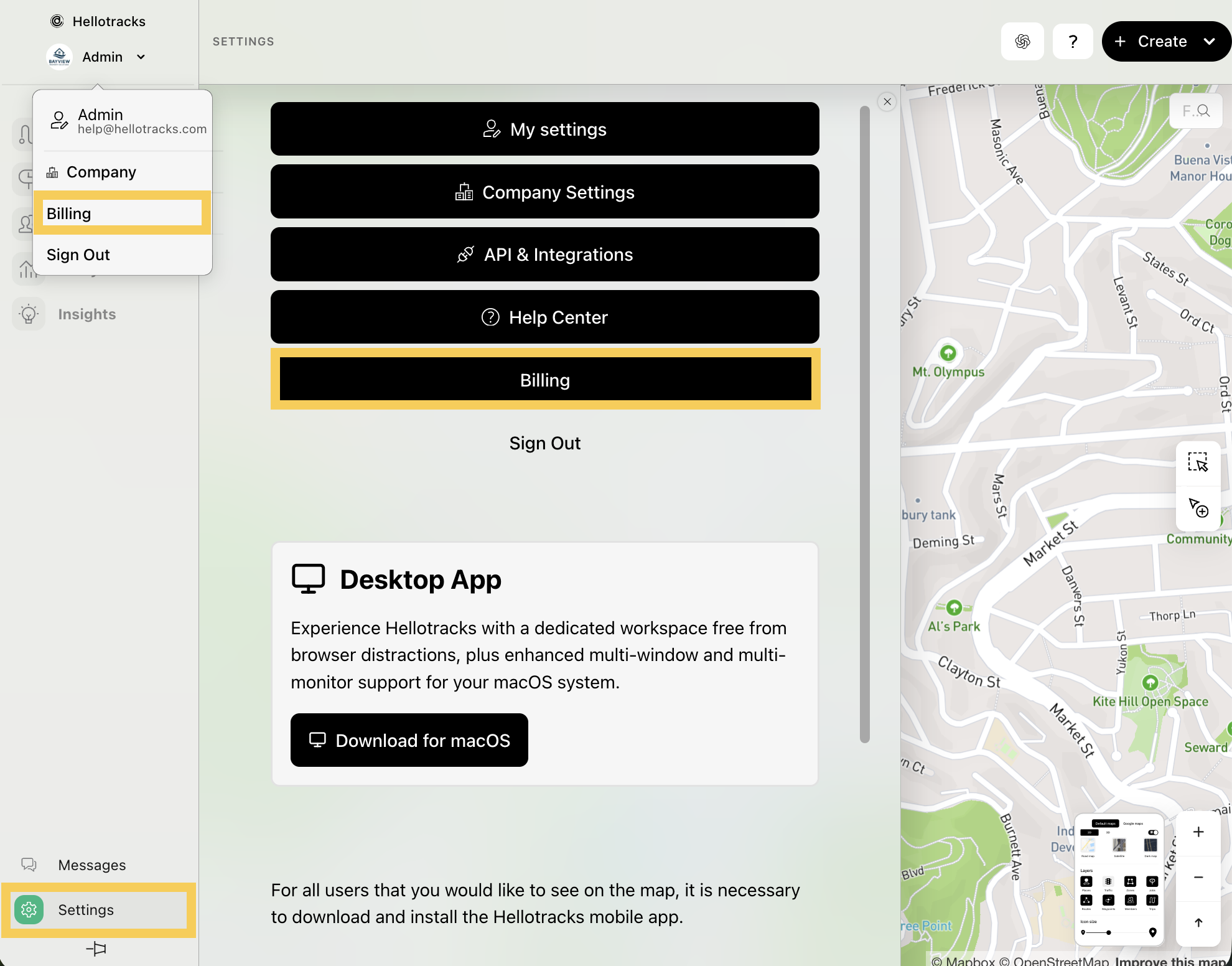
Step 1: Click the dropdown menu under your profile and select Company. Or, go to Settings at the bottom of the main menu and select Company Settings.
Step 2: Select Company Settings.
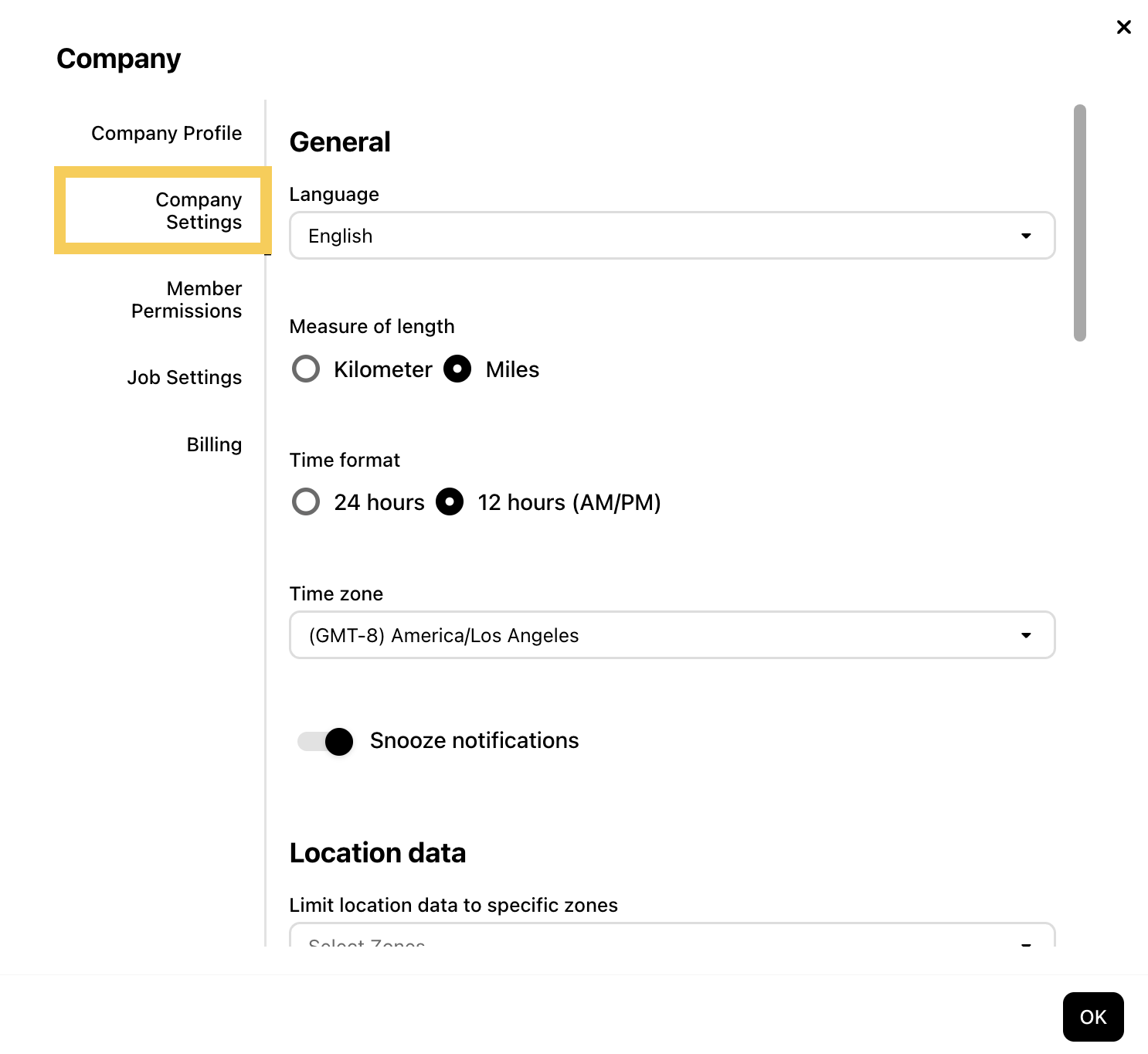
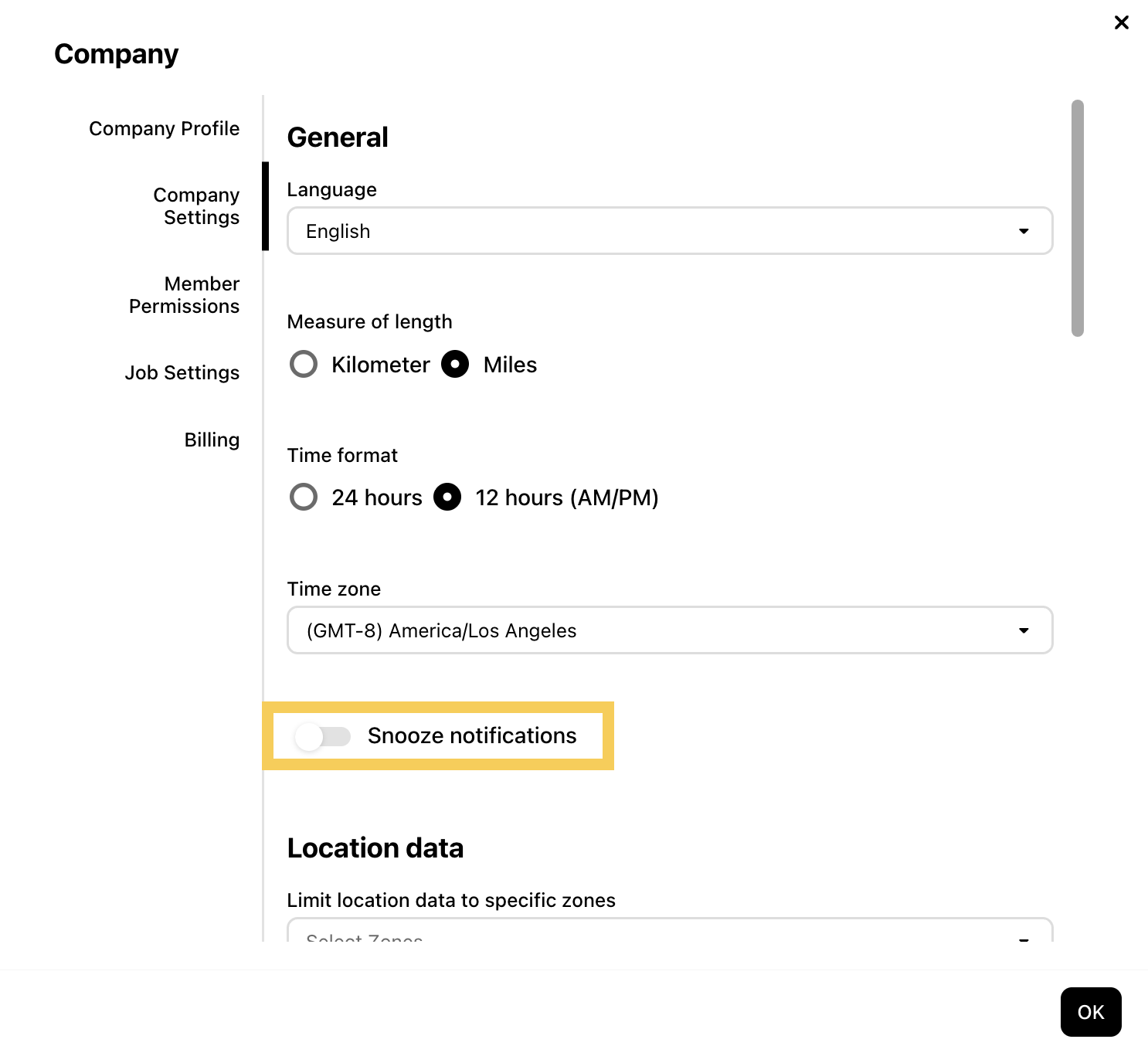
Step 3: Toggle Snooze notifications on to pause notifications or off to allow them.
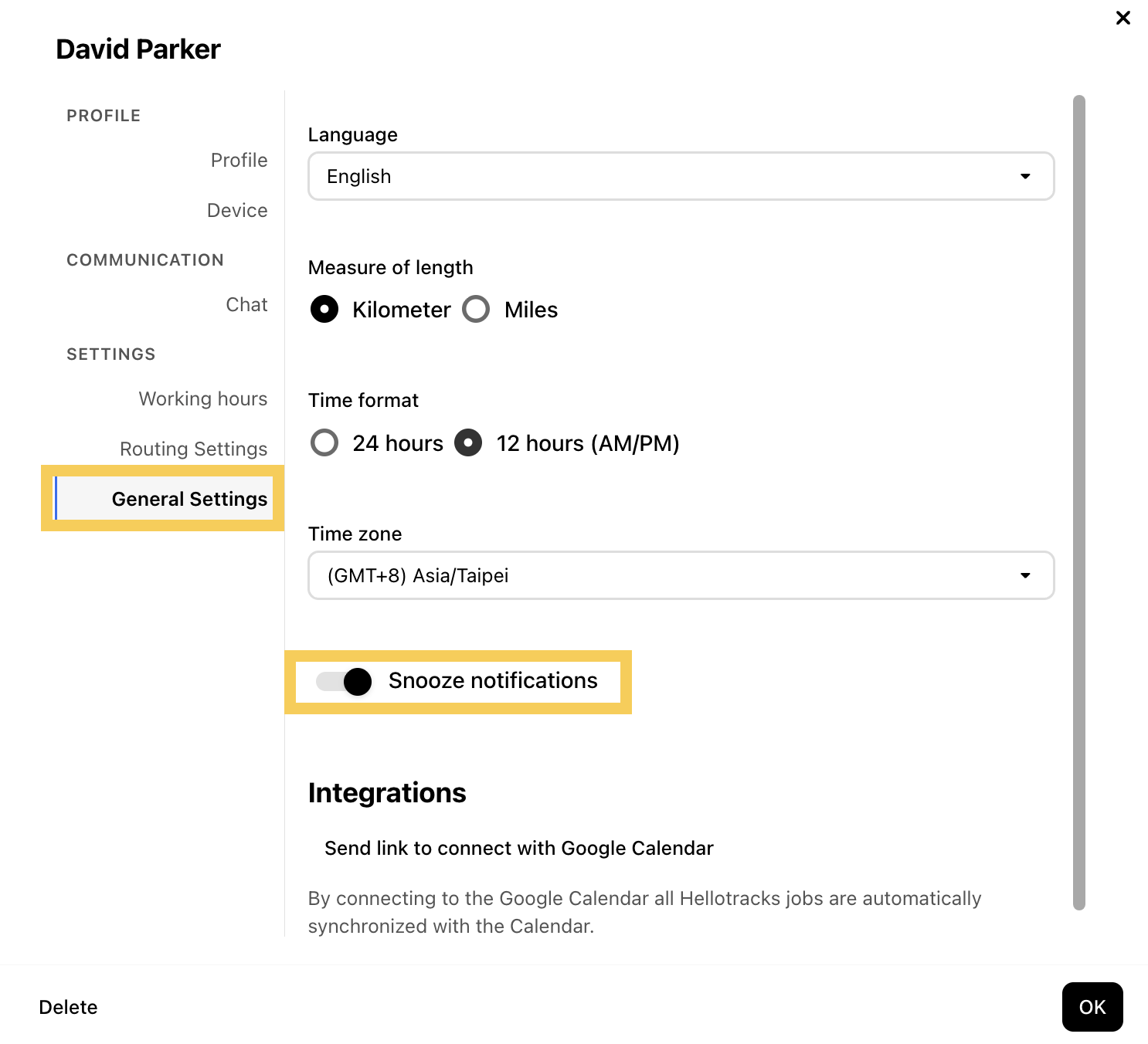
Step 4: Snooze notifications also appear in each user profile under General Settings. This setting applies to all users.