How to Access Billing Information
This guide shows Administrators how to access billing information in their Hellotracks Business account.
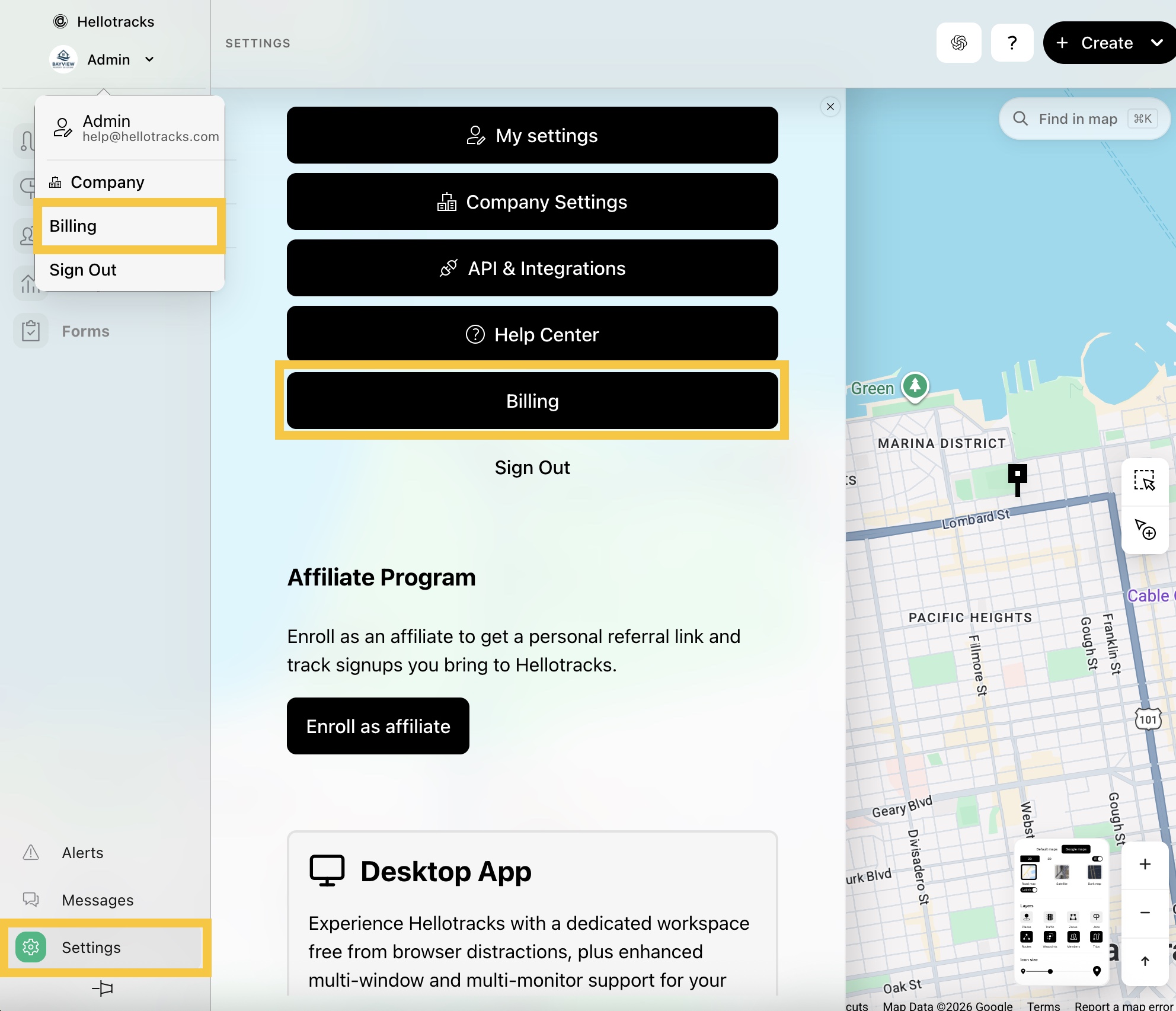
Step 1: Click the dropdown menu next your profile and select Billing. Or, go to Settings at the bottom of the main menu and select Billing.
Step 2: Scroll through Billing to view the following sections:
If you have any questions about your billing, please contact us at billing@hellotracks.com.