How to Connect Board Items to Hellotracks Jobs
Hellotracks helps teams turn planned work into assignable and trackable field jobs. With the Hellotracks app, board items can be connected to Hellotracks jobs so job details, assignments, and updates stay aligned between both platforms.
Each Hellotracks Business account connection uses one Board ID. Before you start, make sure you have a Hellotracks Business Admin role, permission to install apps in your monday.com workspace, and a board with the required job information, such as job title, address, assignee, and job date.
Once connected, users can map board columns to the corresponding Hellotracks job fields. Creating a board item will sync the mapped information with Hellotracks. Updating a linked board item will also apply the mapped information to the corresponding Hellotracks job.
After installing the Hellotracks app, follow this guide to find your Board ID, connect your board, map the required fields, save your mappings, and test the sync by creating or updating a board item.
Watch a quick overview of how board items connect to Hellotracks jobs.
In this guide:
-
Find your Board ID
Step 1: In monday.com, open your board and copy the Board ID from the board URL.

-
Connect in Hellotracks
Step 2: In Hellotracks, go to Settings and select API & Integrations.

Step 3: Under monday.com, enter the Board ID you copied in Step 1.

Step 4: Click Connect.

Step 5: If prompted, install the Hellotracks app in your monday.com workspace.
Step 6: Authorize the Hellotracks app to complete the connection.
Your monday.com workspace is now connected to Hellotracks!
-
Configure Field Mapping
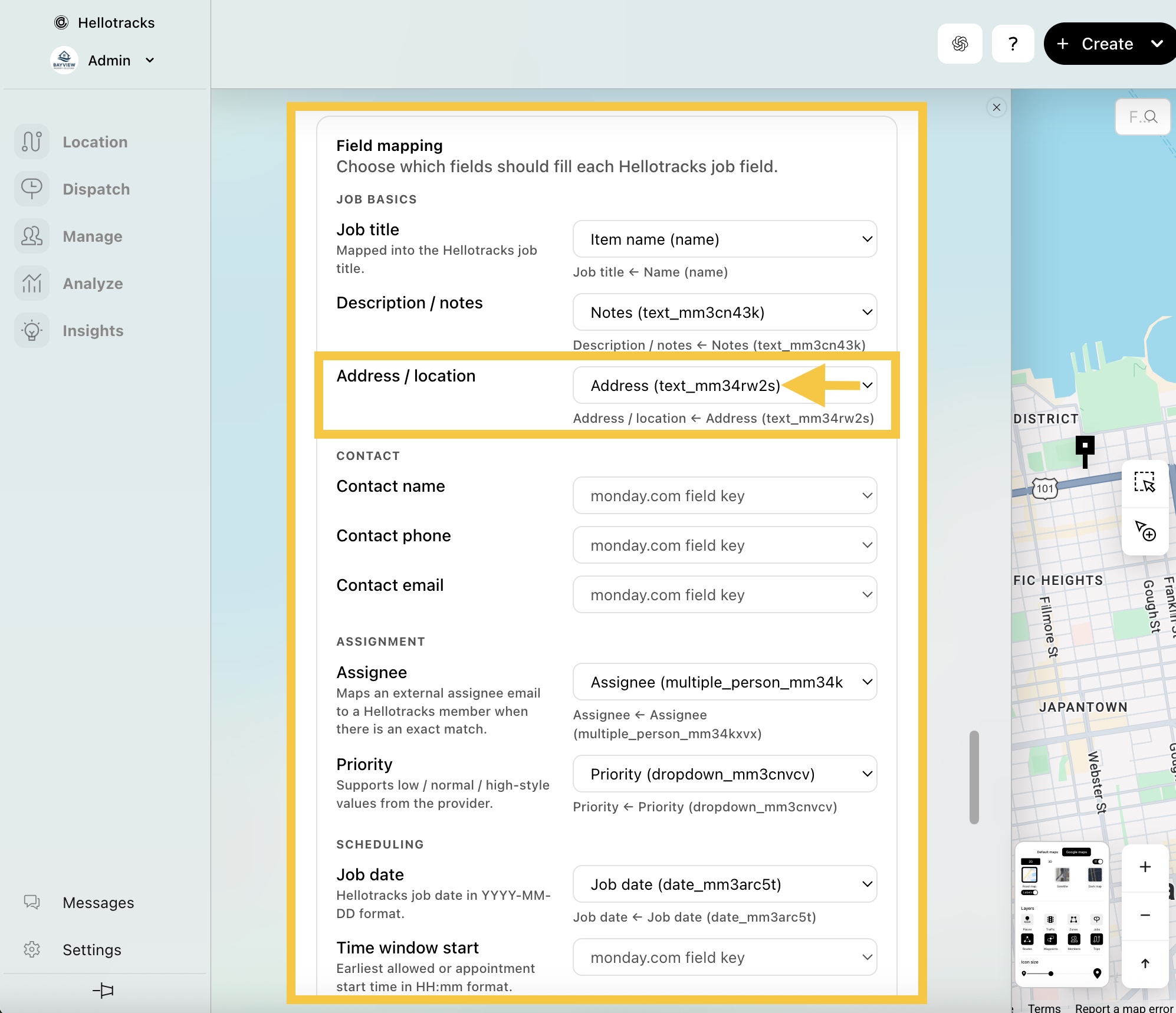
Step 7: Once connected, configure your field mappings to define how the board columns map to Hellotracks job fields. Click + Add column to add any missing columns.
Examples of minimum required fields:
- Job - for the Hellotracks job title
- Address - for the Hellotracks job address / location
- Assignee - for the Hellotracks job assignee based on a matching member
- Job date - for the Hellotracks job date in YYYY-MM-DD format

Step 8: In Hellotracks, go to Settings and select API & Integrations.
Step 9: Under monday.com, choose which board columns should fill each Hellotracks job field.
Step 10: Click Save mappings.
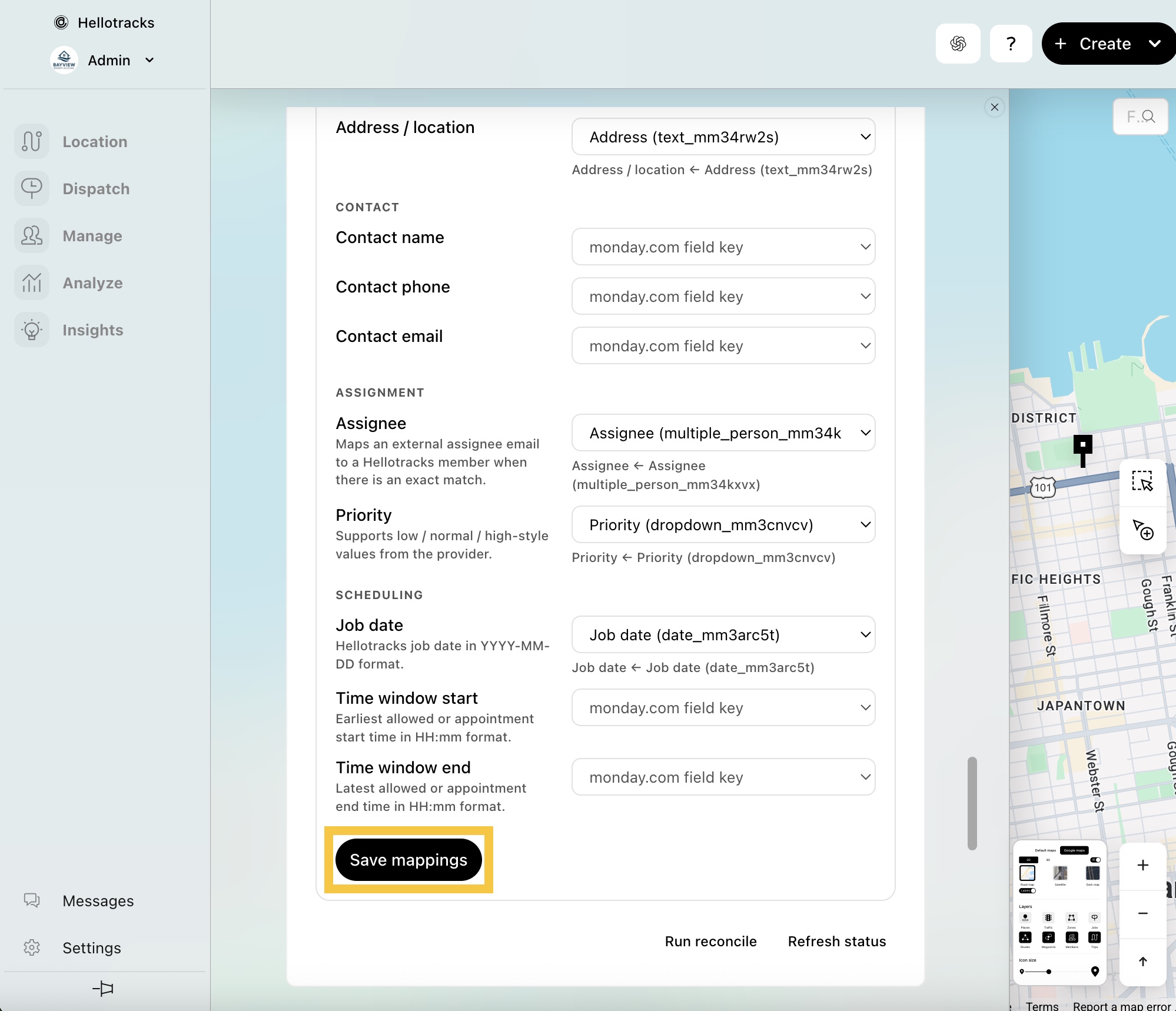
Once configured, creating or updating an item in monday.com applies the mapped fields to the job in Hellotracks.
If you have questions or encounter issues with your monday.com integration, please contact support at support@hellotracks.com.