How to Create API Key
This guide explains how to create an API key in your Hellotracks Business account. You can create multiple API keys for different integrations or workflows.
Note: Keep your API keys (secret) secure. Anyone with access may be able to perform actions in your Hellotracks Business account.
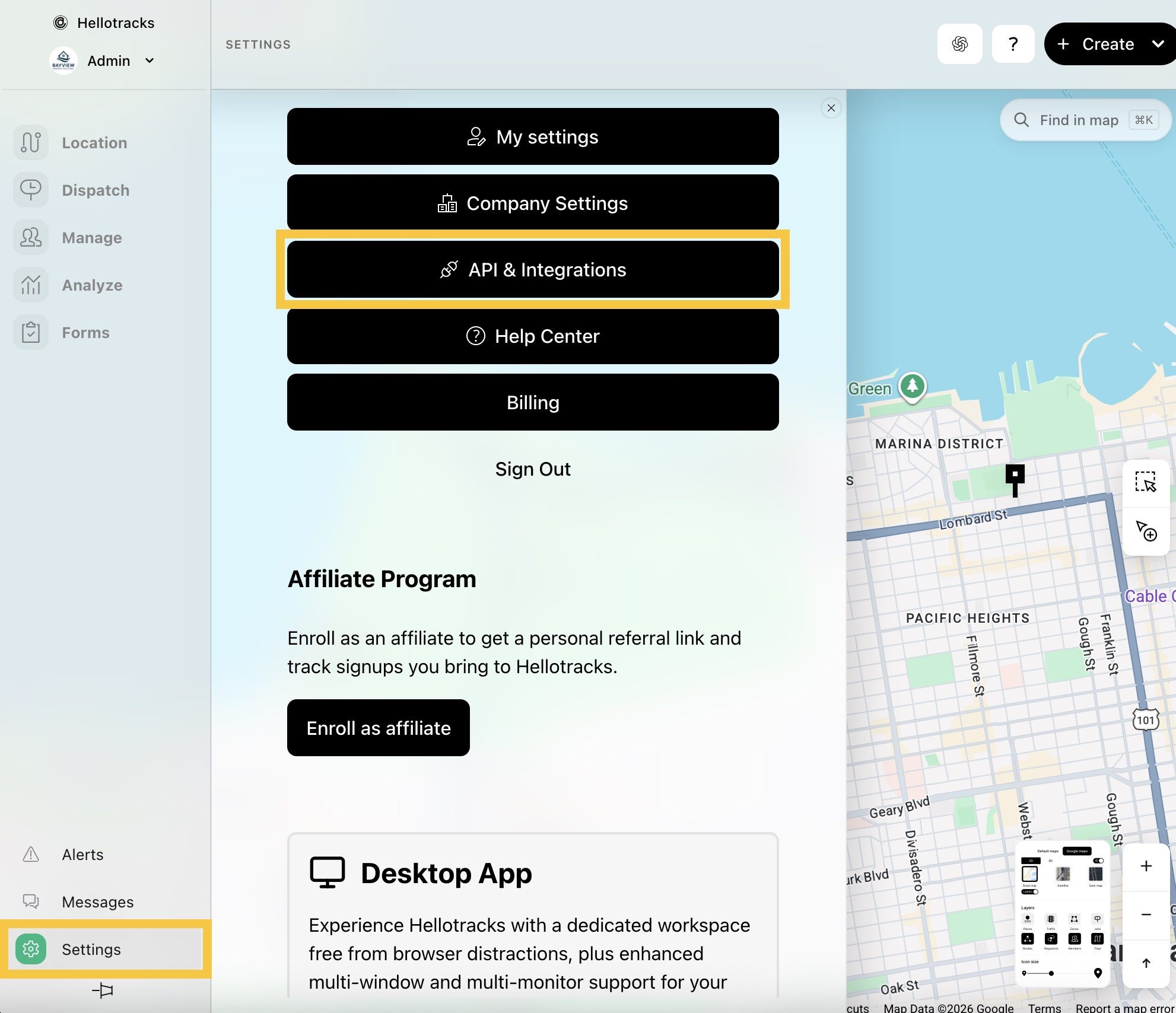
Step 1: Go to Settings at the bottom of the main menu, then select API & Integrations.
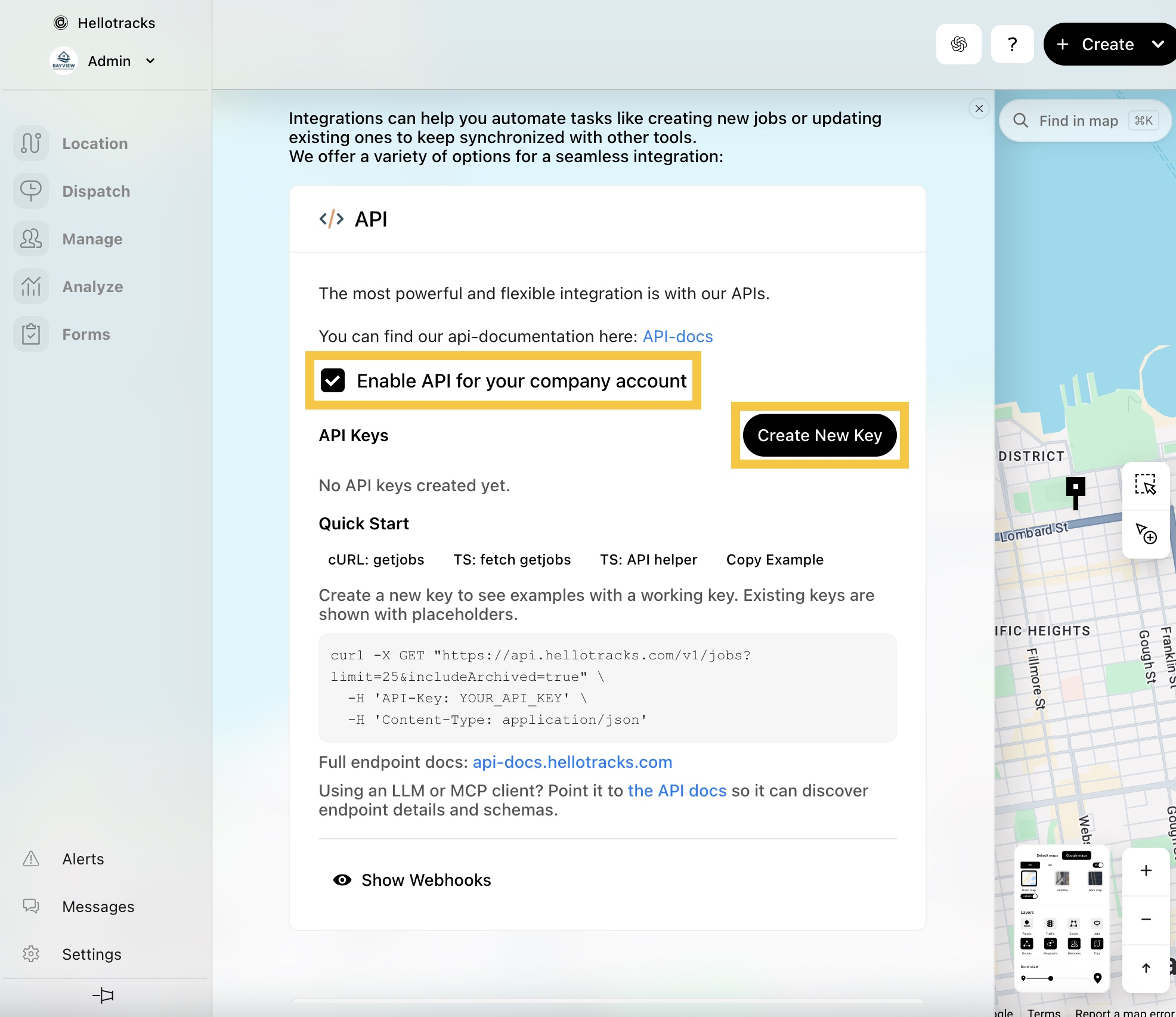
Step 2: Click Create New Key to get your API key (secret).
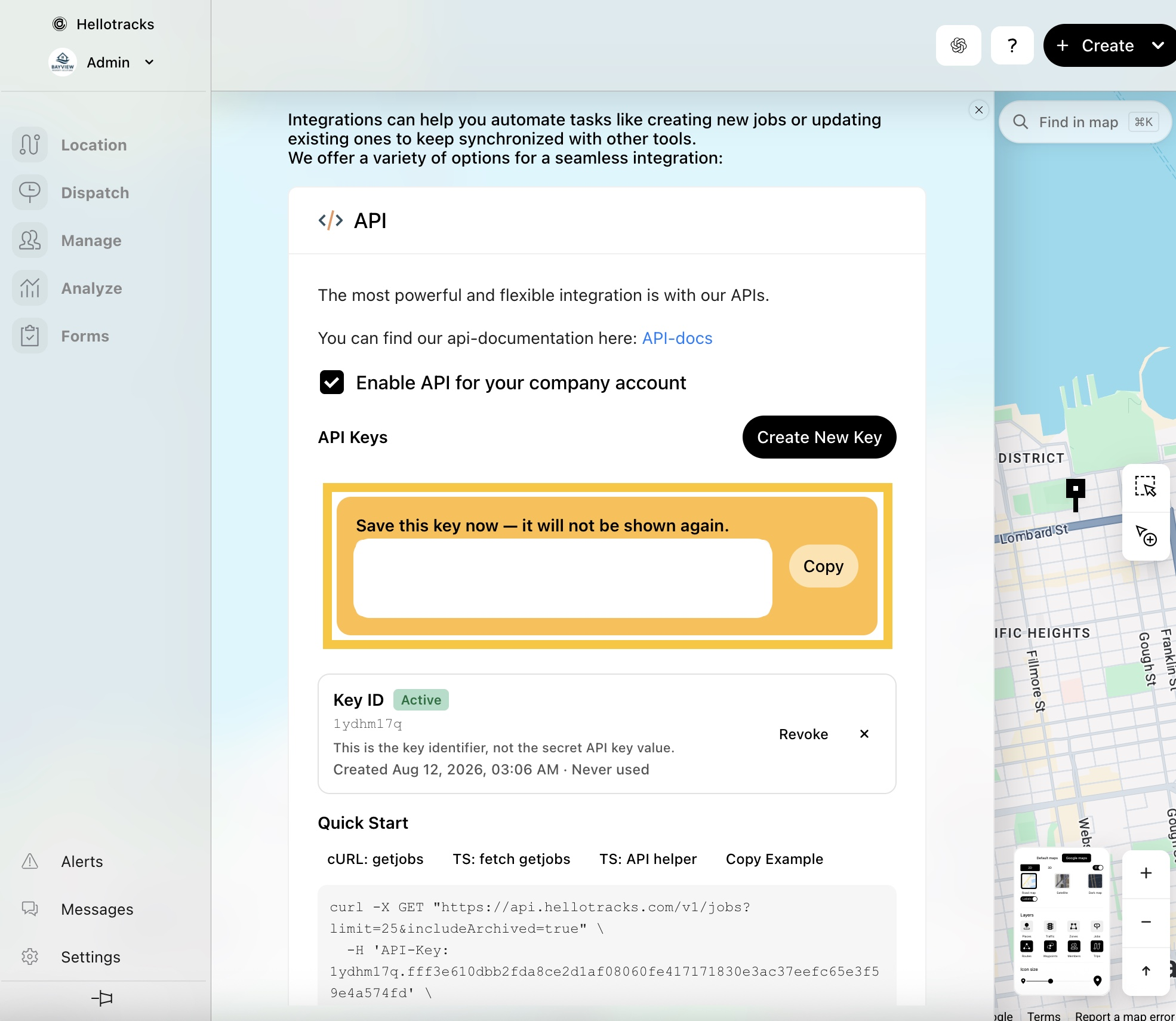
Step 3: Click Copy and securely store your API key (secret). It will not be shown again.