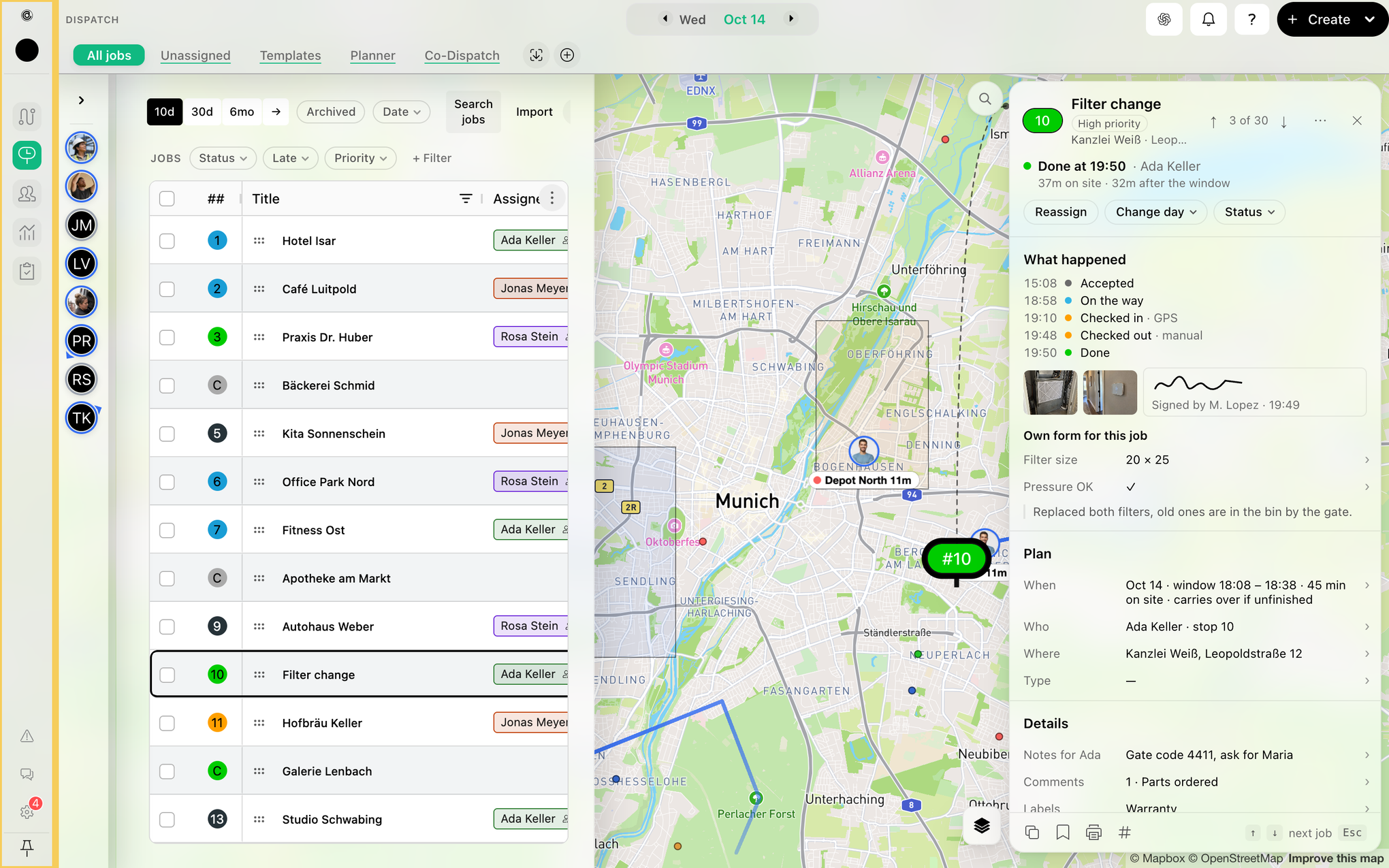
How to Pin & Unpin Main Menu
This guide explains how to control the visibility of the main menu on the web dashboard, allowing you to keep it open for quick access or collapse it to maximize your workspace.
Step 1: Click the pin icon at the bottom of the menu to pin the main menu. When you point at it, it says Pin menu.
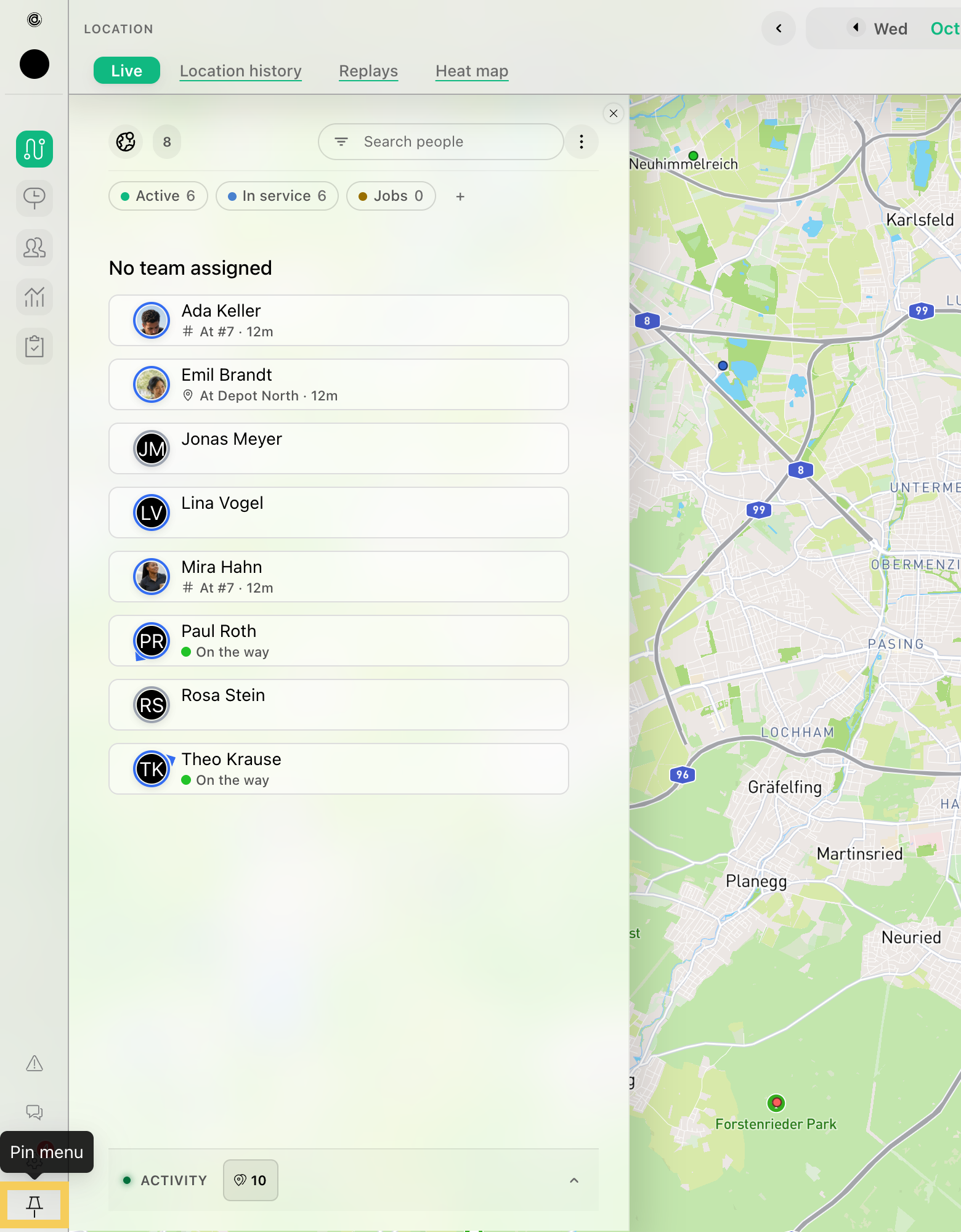
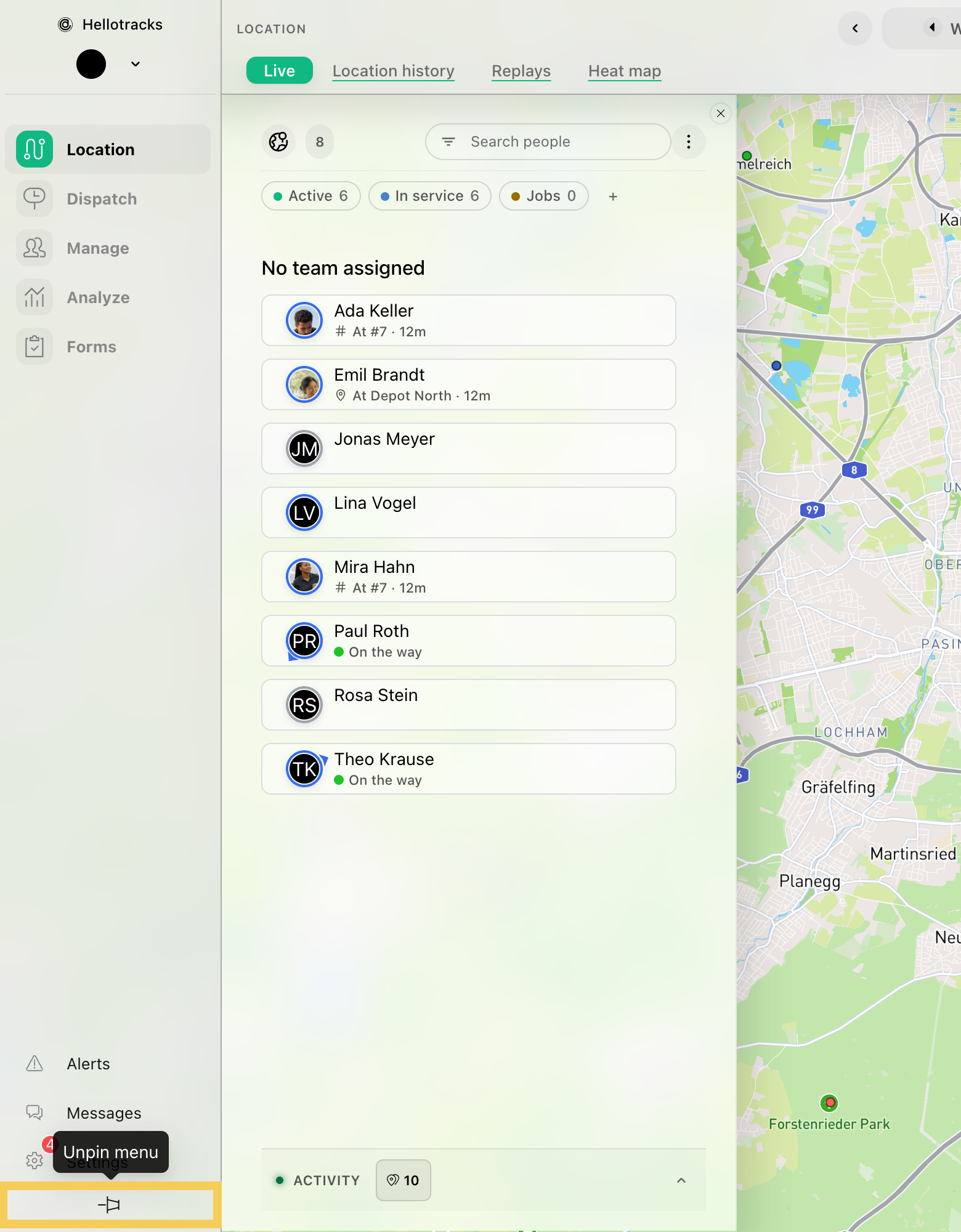
Step 2: To unpin, click the pin icon again (Unpin menu). The menu folds to icons.
Step 3: When you open a job, place or person in its sheet and the screen needs the room, the menu folds to icons, even when it is pinned. It opens again when you close the sheet. To open it while the sheet is open, click the pin icon.